See what runs where, from the hypervisor down to the container.
Scanopy reads Proxmox, Docker, and Podman directly and nests every VM and container inside the host that runs it, with the services each one exposes.
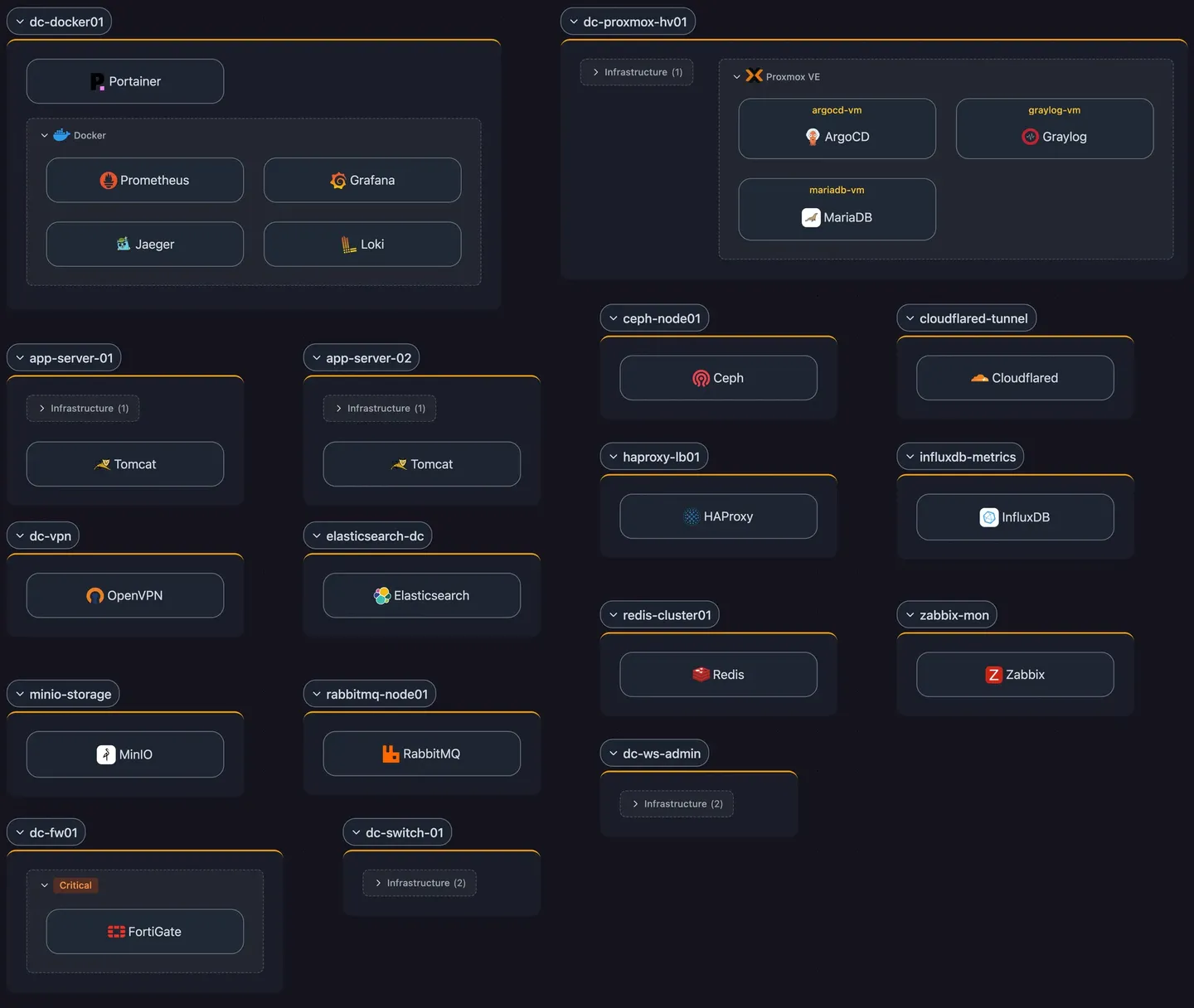
Hypervisors, VMs, and containers in one tree
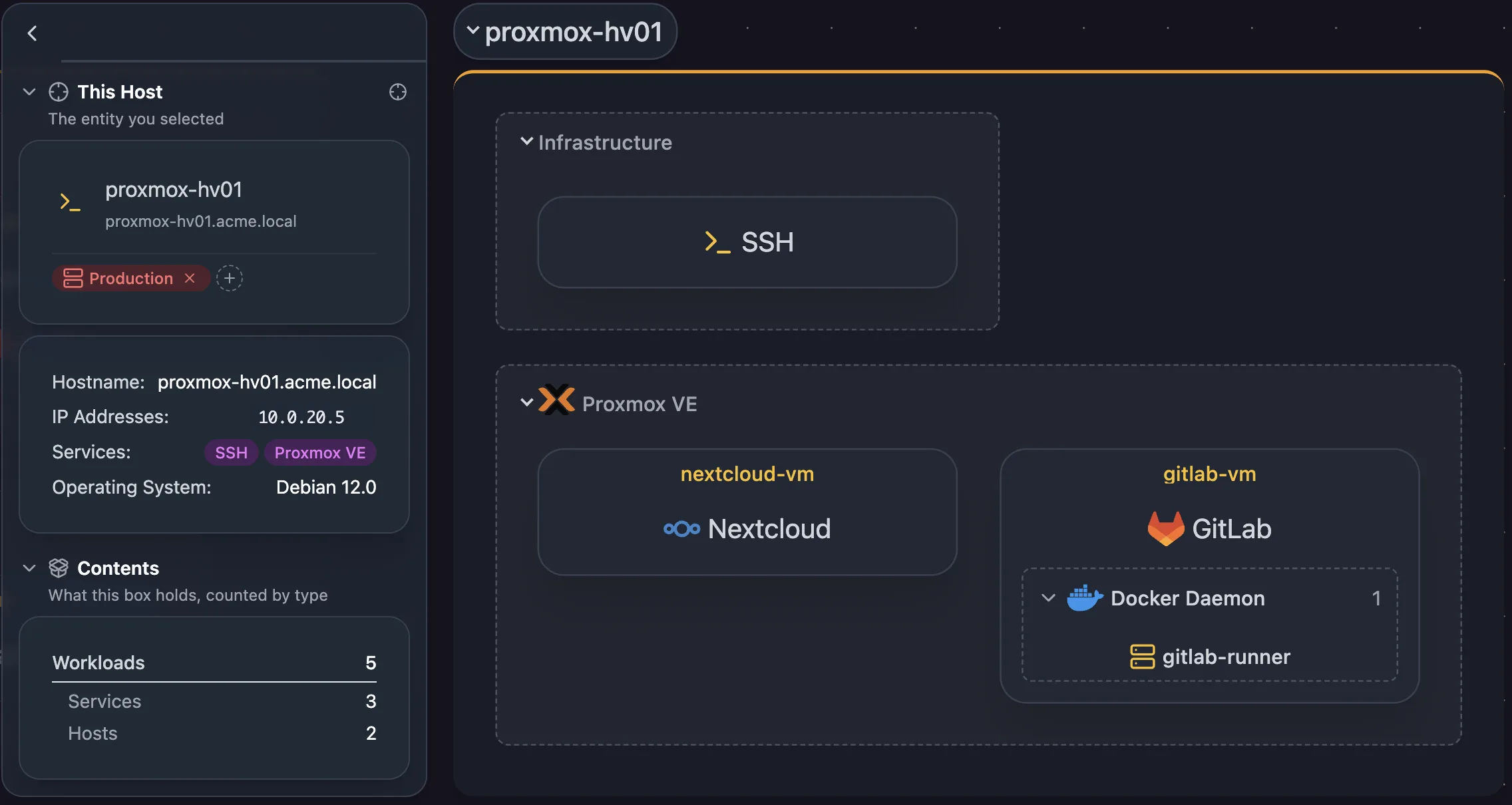
Hypervisors
Proxmox VE, VMware ESXi, and vCenter, with the VMs on each. Proxmox VMs and LXC containers come from its API, and you assign VMware VMs to their hypervisor on the host.
Docker and Podman
Containers from the local socket, or from a remote host through a Docker or Podman API proxy.
Nested inside their host
VMs sit inside their hypervisor, and Docker and Podman containers sit inside the host or VM that runs them.
The same workloads in every other view
On the subnet map
VMs and containers appear in the logical (L3) view with links back to the hypervisor or runtime that hosts them, and containers from one Compose project can group as a stack.
In the inventory
Every VM is a host in the device inventory, filterable by the hypervisor it runs on.
In applications
Tag containers with the application they serve and they appear in the application map.
Related features
Frequently asked questions
Does the daemon need access to the Docker socket?
For local containers, yes. For remote hosts, point Scanopy at a Docker or Podman API proxy instead.
Does Scanopy support VMware?
Yes. Scanopy recognizes ESXi and vCenter as hypervisors, and you assign VMs to them on the host so they nest in the Workloads view. It does not read VMs from the vSphere API.
How do I set up Docker or Podman discovery?
Step by step: map Docker containers or map Podman containers.