Keep the network documented when the people who know it move on.
Scanopy rebuilds the network map and inventory from the network itself on a schedule. A new hire, a contractor, or the next MSP starts from what is actually running, not from a diagram someone stopped updating.
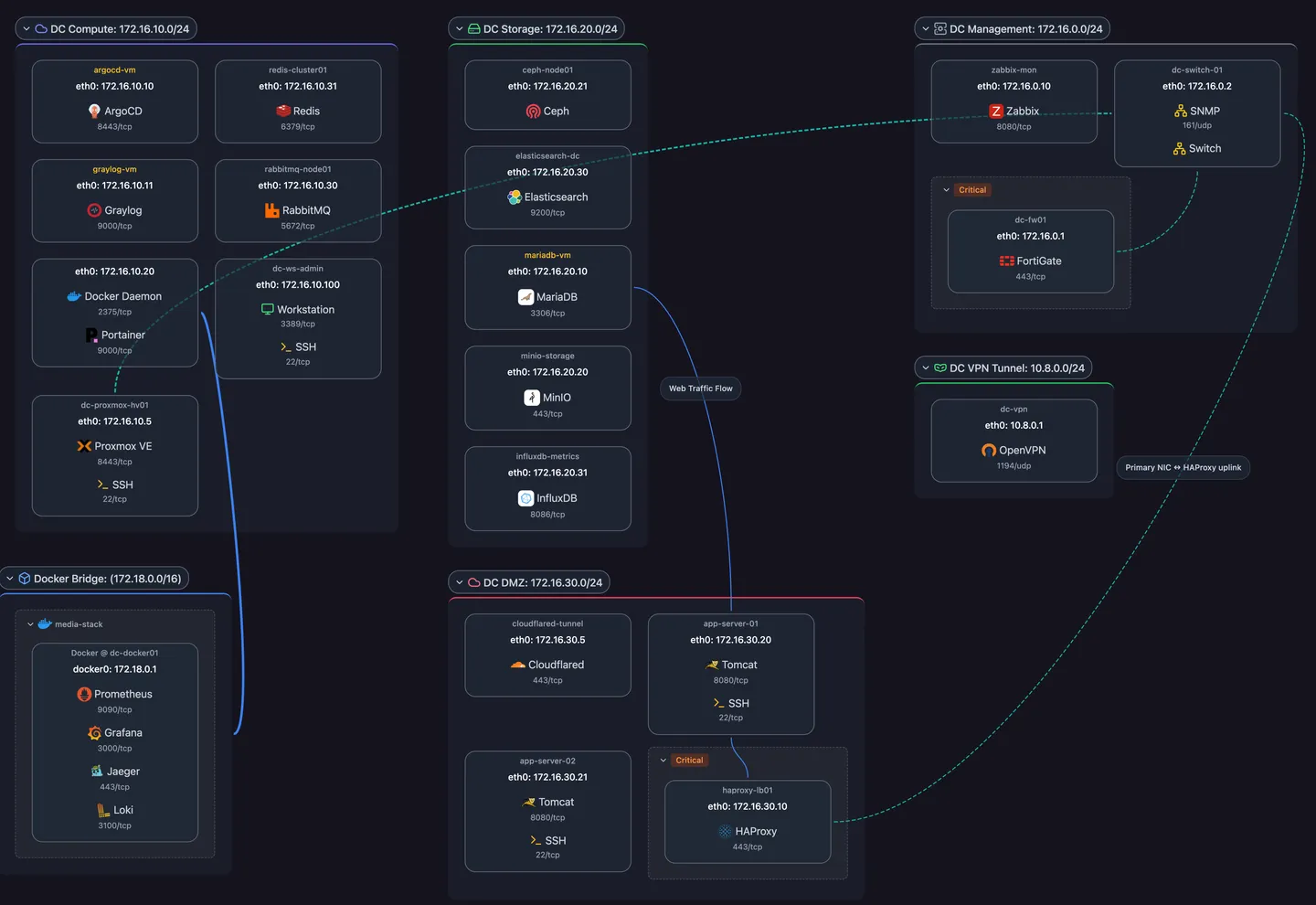
Day one starts from the network, not from memory
Four views from one scan
Physical and logical topology, workloads, and applications, rebuilt on every scheduled scan.
A searchable inventory
Every host with its addresses, services, and hardware facts in the device inventory. Press / to search all of it.
Nothing to redraw
The map comes from discovery, so nobody has to remember to update it before they go.
The context discovery can’t find, kept next to the host
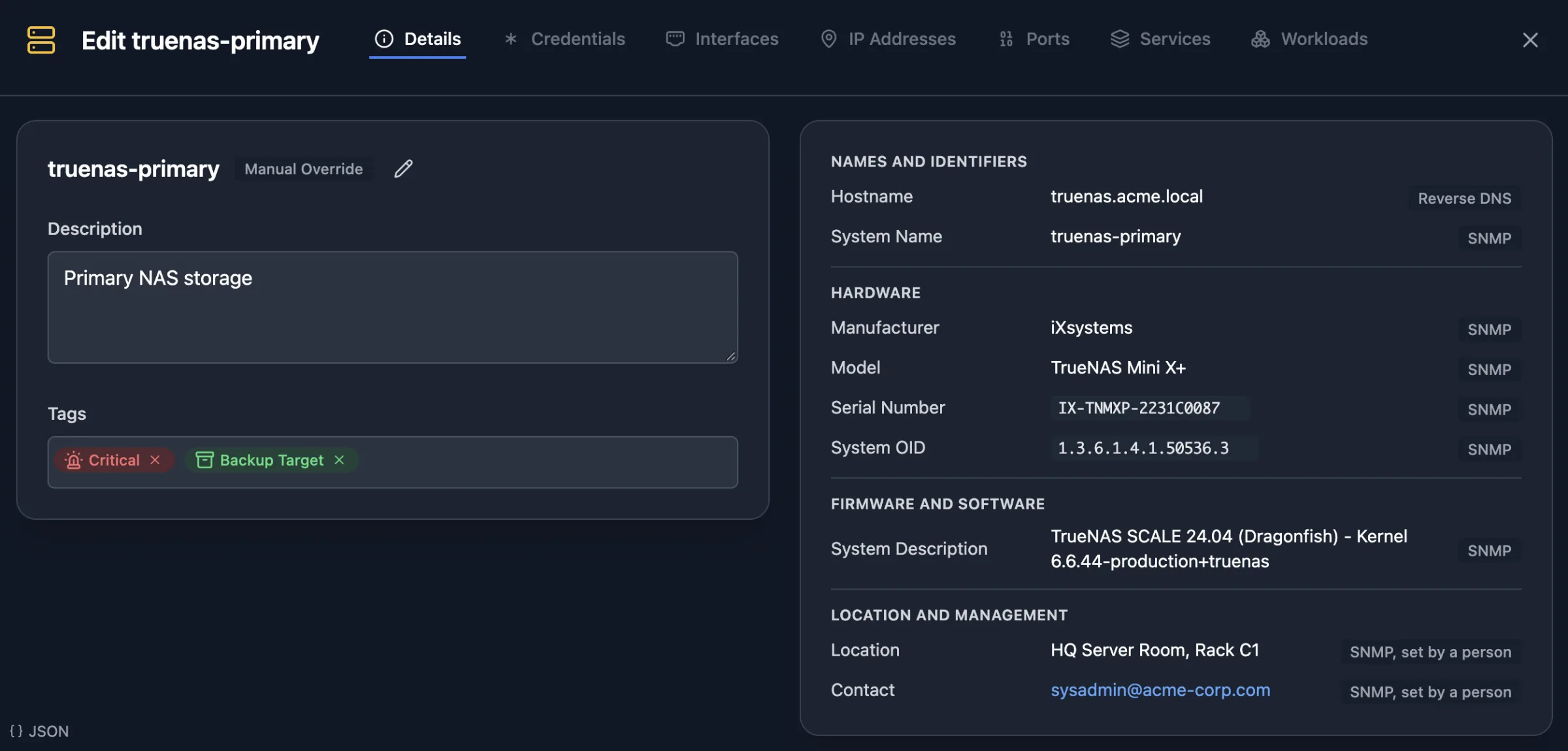
Descriptions and links
Add a description and a management URL to each host, so the admin page is one click from the map.
Location and contact
Record where a device sits and who to call. SNMP devices fill these in from their own settings.
Lifecycle status
Tag hosts from planned to decommissioned, so the next person knows what is meant to be there.
Hand over access, not a folder of PDFs
Viewer accounts
Give a new hire or an auditor a read-only seat on the sites you choose. They can see everything there and change nothing.
Links and embeds
Send a read-only link with a password and expiry, or embed the live map in the team wiki. See sharing, embeds & exports.
Exports for the handover pack
Export the map as PDF, Visio, draw.io, or Confluence markup, and the inventory as CSV.
The features behind it
Frequently asked questions
Does Scanopy store passwords for devices?
Only the credentials the daemon scans with, such as SNMP, SSH, or Docker access, and they are redacted in the API. It is not a password manager.