A device inventory that matches the network, not last year’s spreadsheet.
Each scan records every host it finds, with its IP and MAC addresses, interfaces, open ports, and services. Switches and other SNMP devices add manufacturer, model, serial number, and firmware.
Every host, with what it runs and how it connects
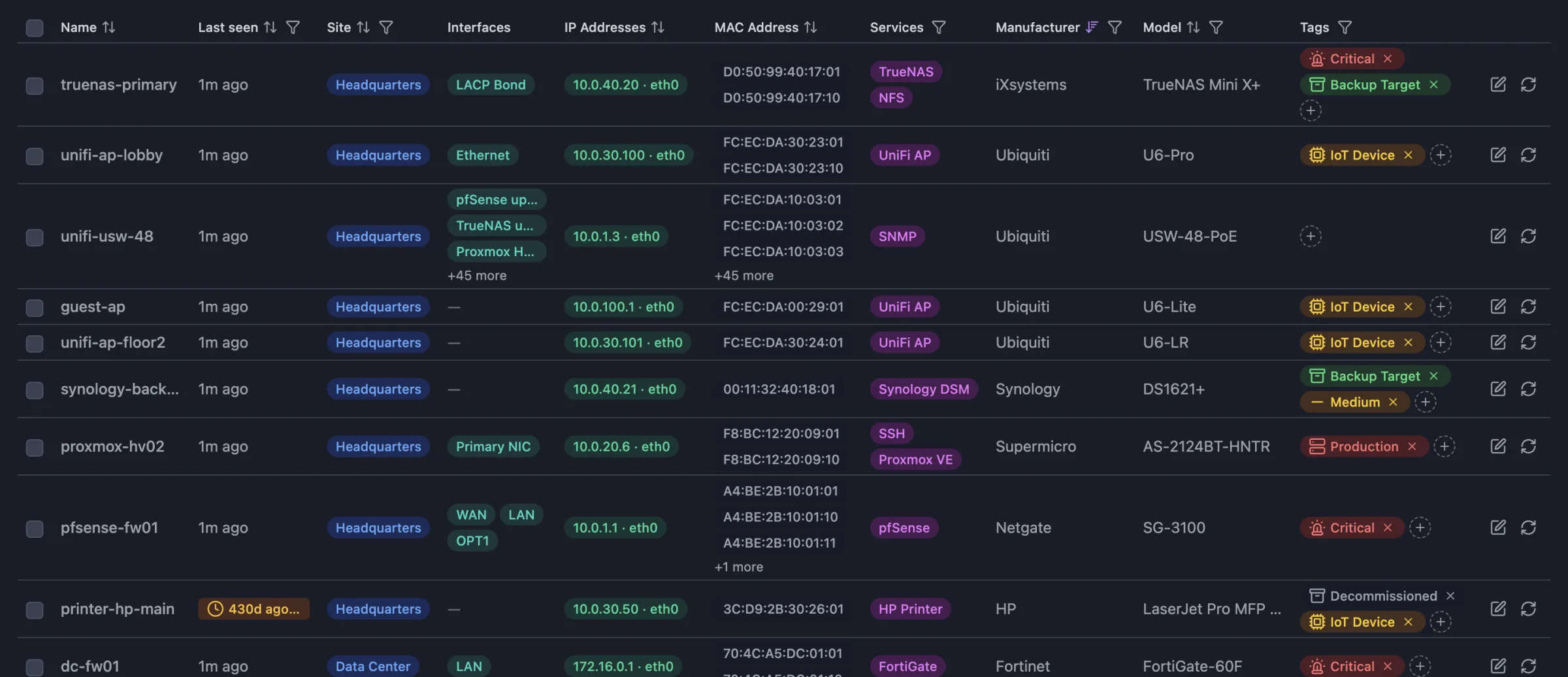
Addresses and interfaces
IP addresses, MAC addresses, hostnames, and interfaces for each host, plus the hypervisor or container host it runs on.
Services, not just open ports
Scanopy matches each host against 270+ service definitions, so a host reads as a PostgreSQL server, a printer, or a camera by what it runs.
Hardware facts over SNMP
Manufacturer, model, serial number, asset tag, firmware and software revision, location, and contact, read from the device itself.
Last seen on every row
Each host shows when a scan last found it, and one filter lists the hosts that have gone stale.
Find any host in a few keystrokes
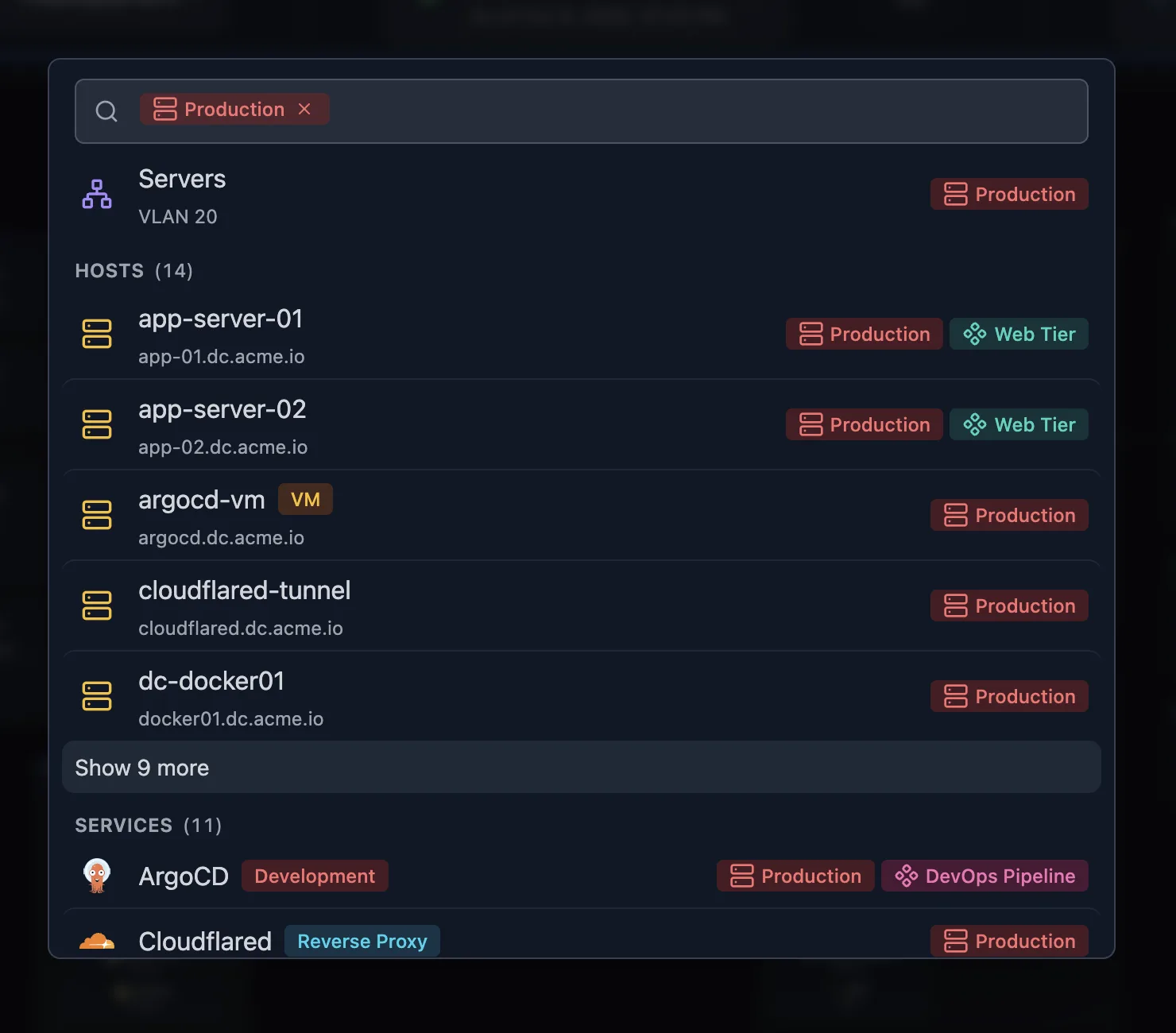
Search everything
Press / to search hosts, IP addresses, ports, services, subnets, and VLANs at once.
Filter and group the list
Filter by site, service, manufacturer, model, location, OS, or tag. Sort or group by any column.
Tag and describe hosts
Add tags for owner, environment, or criticality, and a description for anything discovery can’t know.
One record per device, ready to export
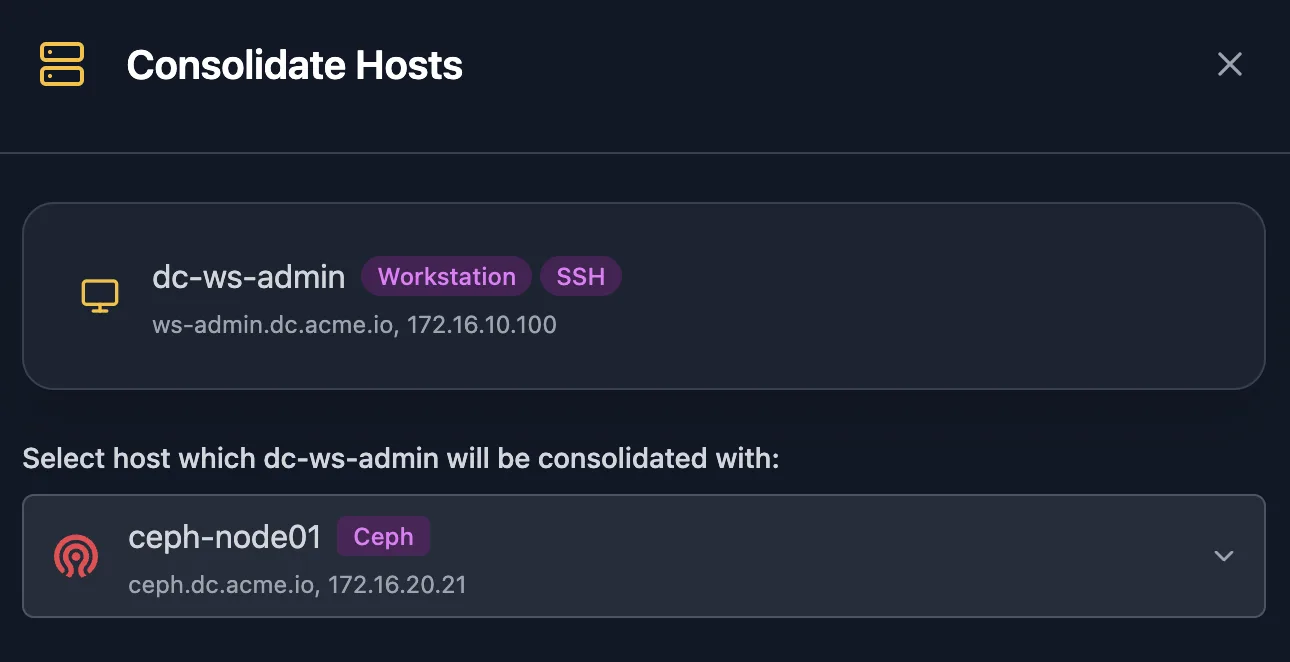
Merge duplicates
When one device shows up as two hosts, consolidate them. Its addresses, ports, and services move to the host you keep.
Hide hosts from the map
A hidden host drops out of the topology views and stays in the inventory, where a filter shows it again.
Export the inventory
Download hosts as CSV, or a ZIP with separate CSVs for hosts, IP addresses, ports, services, and interfaces. The export keeps your current filters.
Solutions built on Device inventory
Frequently asked questions
Is Scanopy an IT asset management (ITAM) tool?
No. Scanopy records what discovery finds on the network and keeps it current. Purchase dates, warranties, owners, and software licenses belong in an ITAM system, and Scanopy runs alongside one.
Do I need an agent on every device?
No. One daemon scans the network. Add SNMP credentials for your switches and other managed devices to collect hardware facts and interface details.
How does Scanopy know what a device is?
By the services it runs. Scanopy matches open ports, service responses, and MAC vendors against 270+ service definitions, from databases and web servers to printers, cameras, and IoT devices. See the full list.
Can I get the inventory out of Scanopy?
Yes. Hosts, subnets, VLANs, and services each export to CSV, and the host export can include IP addresses, ports, services, and interfaces as separate files. The topology map exports to image, document, diagram, and wiki formats, embeds in a wiki, or shares by read-only link. See the product overview.