An application map that stays accurate when the servers change.
You name each application and the services in it. Discovery keeps the hosts, addresses, and ports underneath current, so the map doesn’t drift when a service moves.
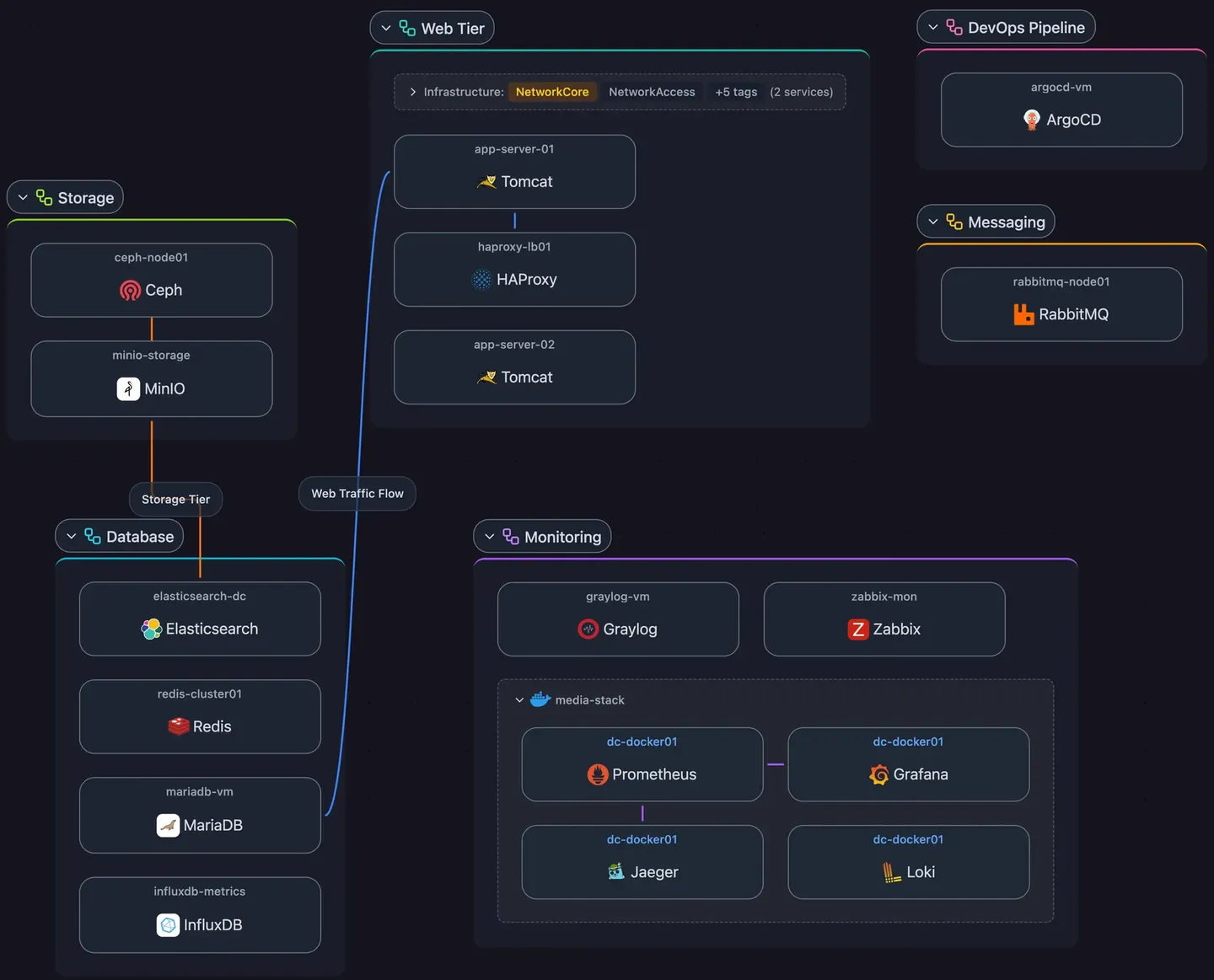
You name the application, discovery fills it in
Application tags
Tag a service, or a whole host, with the application it belongs to. Services inherit their host’s application unless you tag them directly.
Built on discovered services
Every service in an application is one Scanopy found on the network, from 270+ definitions, not a box someone drew.
Draw the request path once
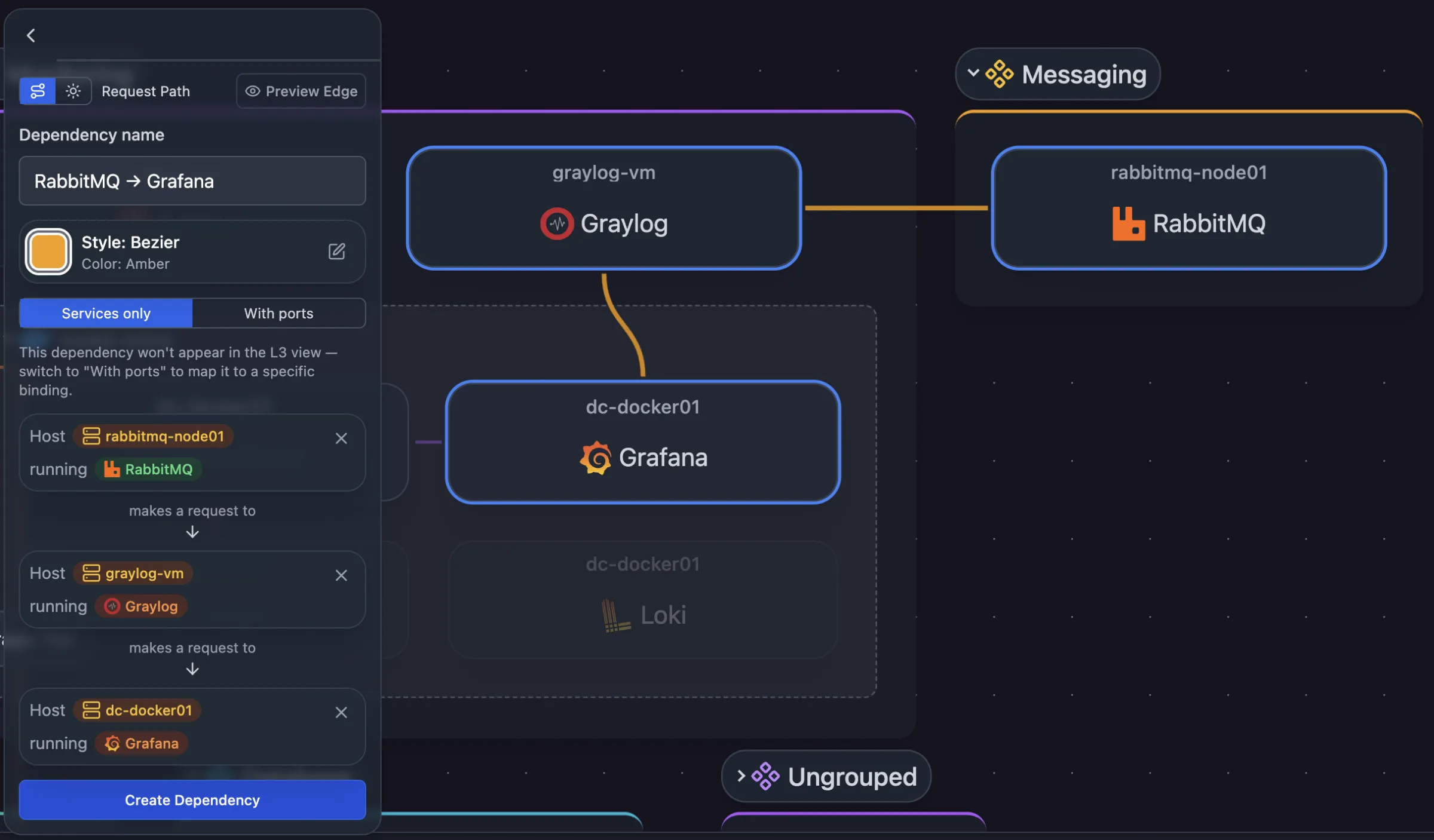
Request paths
Select services in order, such as load balancer, app server, database, and save them as a request path.
Hub and spoke
Link one shared service, such as a database or an identity provider, to everything that calls it.
Visible across views
Dependencies show in the application and workload views, and in the logical (L3) view when they are mapped to specific ports.
Related features
Frequently asked questions
Does Scanopy discover application dependencies automatically?
No. Scanopy discovers hosts, services, and ports. You define which services form an application and the request paths between them. For dependencies inferred from network traffic, see Scanopy vs Faddom.
What is the application view for?
Seeing which hosts and services an application depends on before a migration, a change, or a risk analysis.