Pull ports, VMs, and containers from the systems that manage them.
Add credentials for your switches, network controllers, hypervisors, and container runtimes, and each scan reads what they hold. See all 9 integrations and what each one discovers.
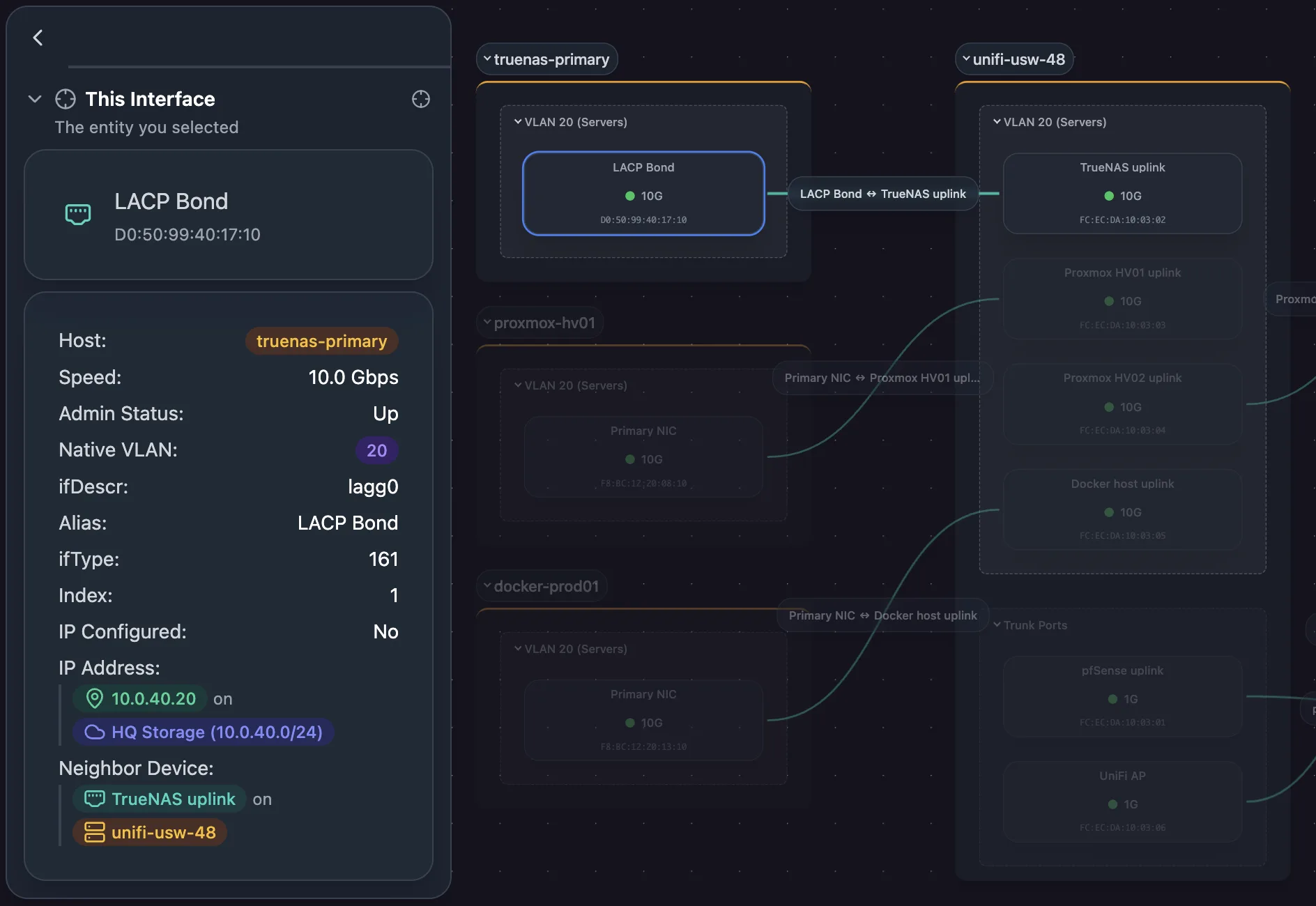
Know every switch port and the link behind it
Aruba Instant On reads device details, interfaces, neighbors, and forwarding tables. UniFi Controller and SNMP read device details, interfaces, neighbors, forwarding tables, and VLANs. gNMI reads interfaces and neighbors.
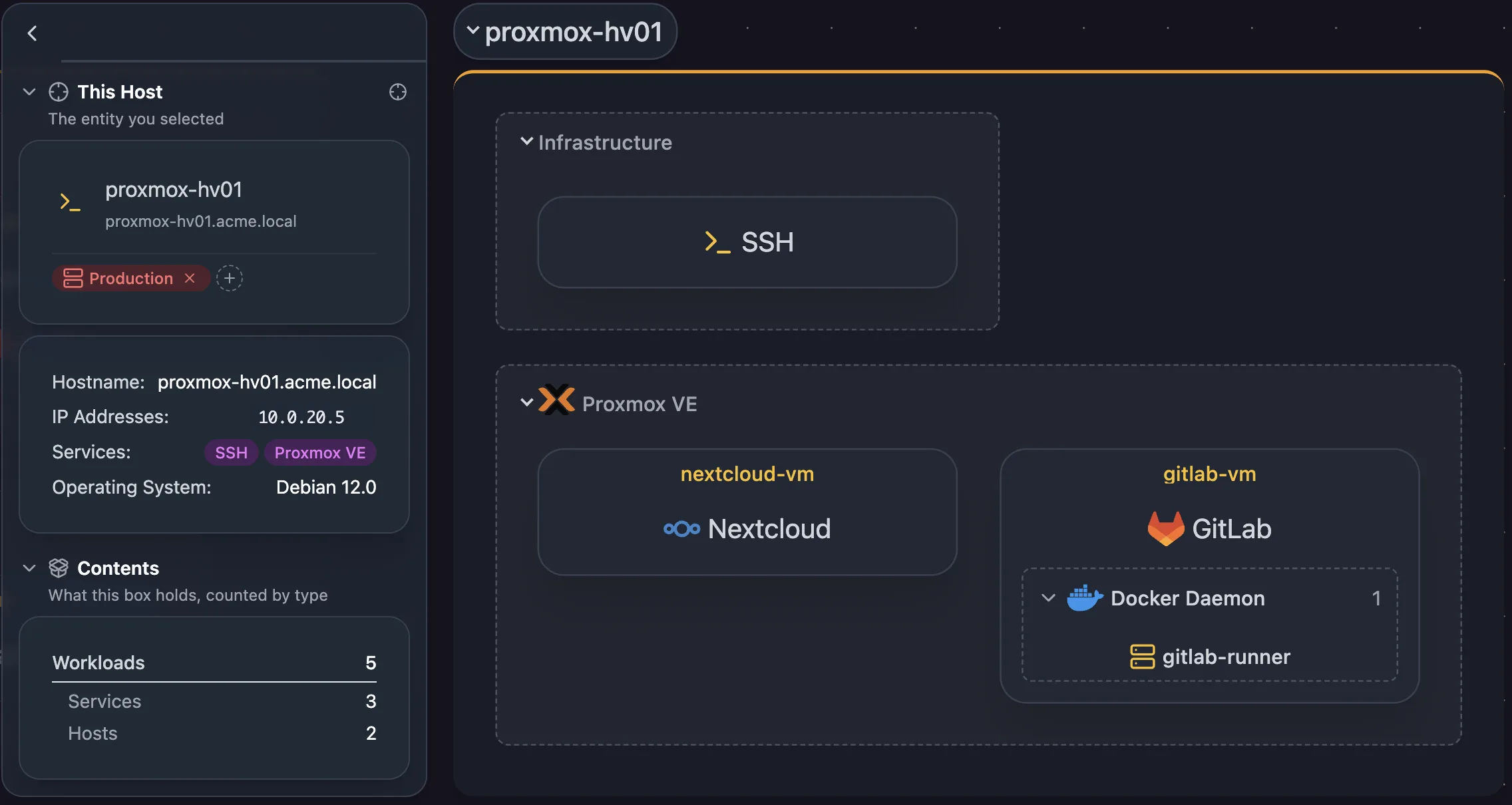
See the VMs and containers on every host
Docker and Podman read addresses and containers. Proxmox VE reads addresses and virtual machines.
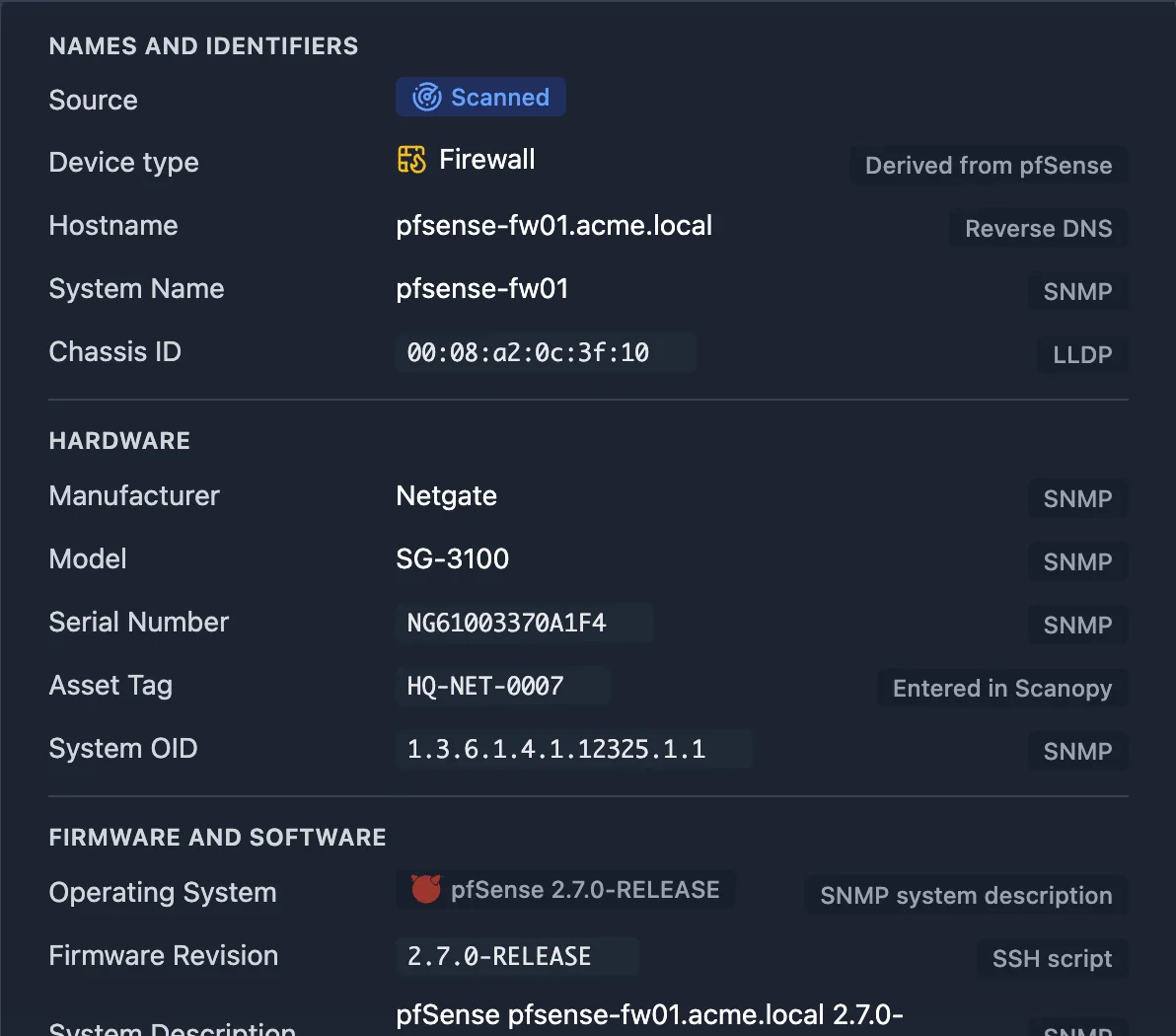
Record the host details only your own script can read
Wake-on-LAN: Wake sleeping hosts before a scan so they are discovered. SSH reads hostnames, operating system, device details, and interfaces.
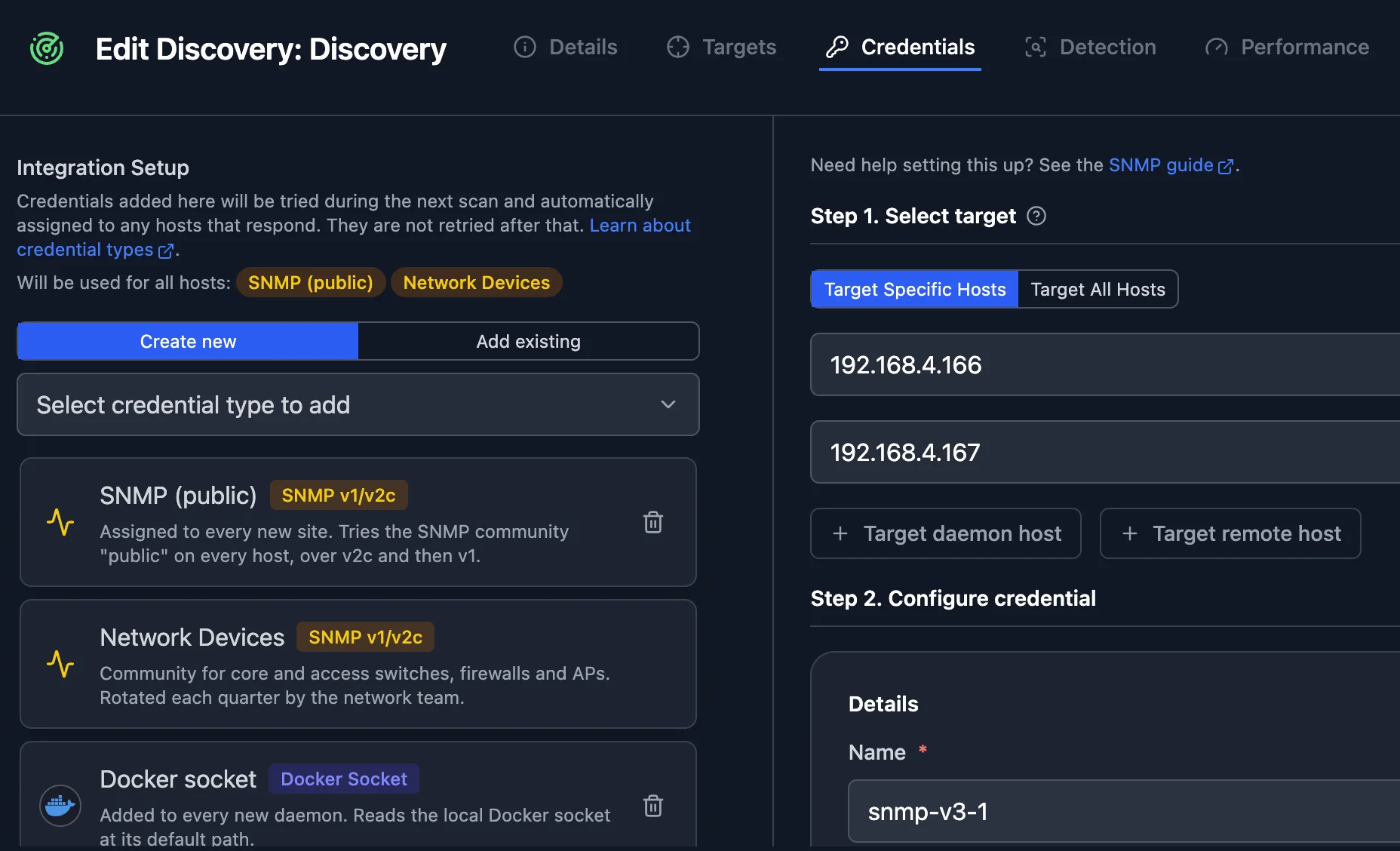
Add a credential once, and the next scan uses it
Add credentials to a scan. Its next run tries them and assigns each to the hosts that accept it. Target specific hosts, or every host the scan finds.
Related features
Frequently asked questions
Does Scanopy need credentials to discover my network?
No. A scan finds hosts and services without them. Credentials add detail from the devices and systems that accept them.
How do I set up an integration?
Each integration has a setup guide, linked from the integrations page.