See every VLAN, the ports that carry it, and the subnets behind it.
Scanopy reads VLAN tables from your switches over SNMP (Q-BRIDGE-MIB and Cisco VTP) and links each VLAN to the subnets on it. VLAN membership comes from the switches, not from a host plugged into each VLAN.
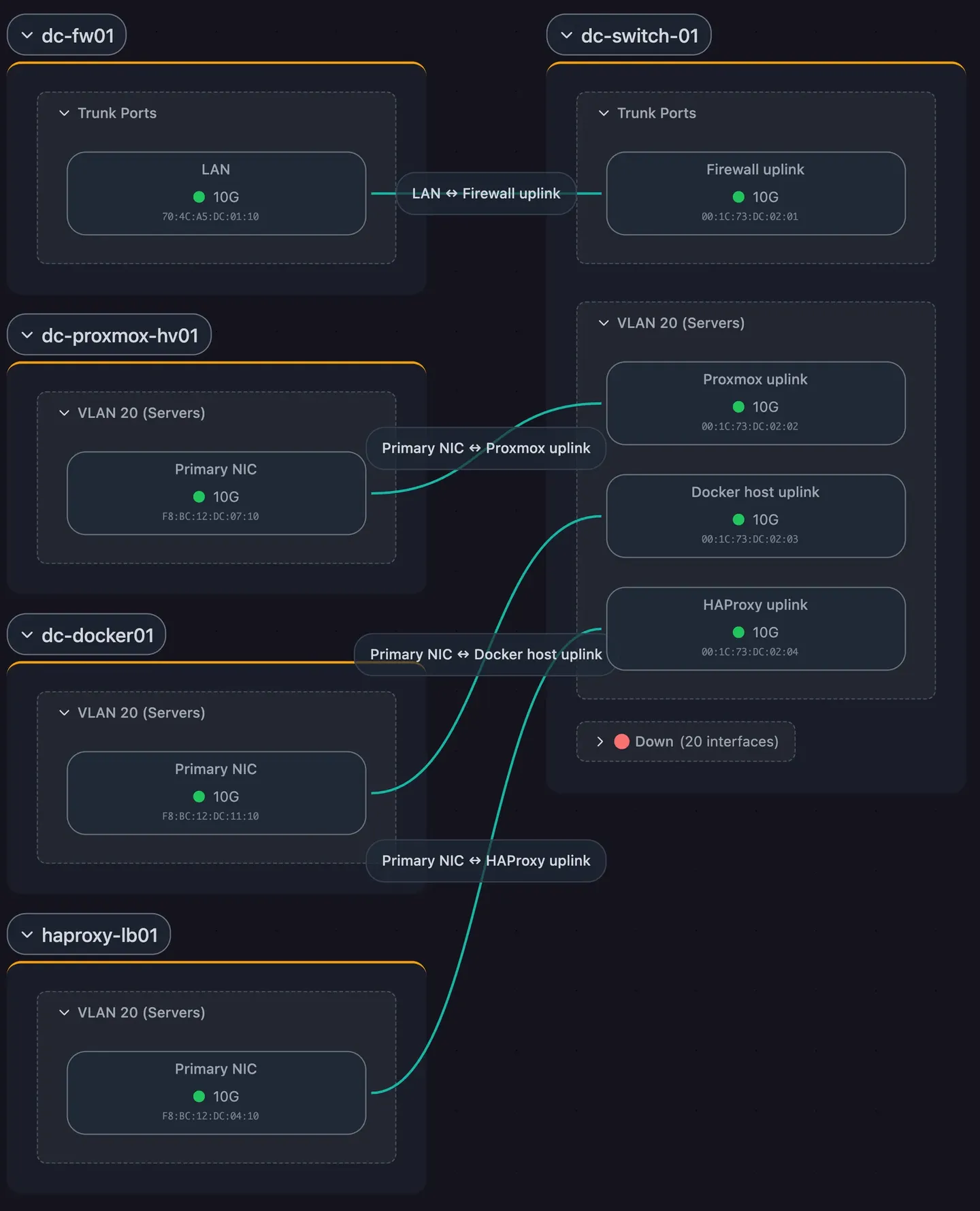
VLANs come from the switch, port by port
Names and IDs
Every VLAN a switch knows about, with its number and name.
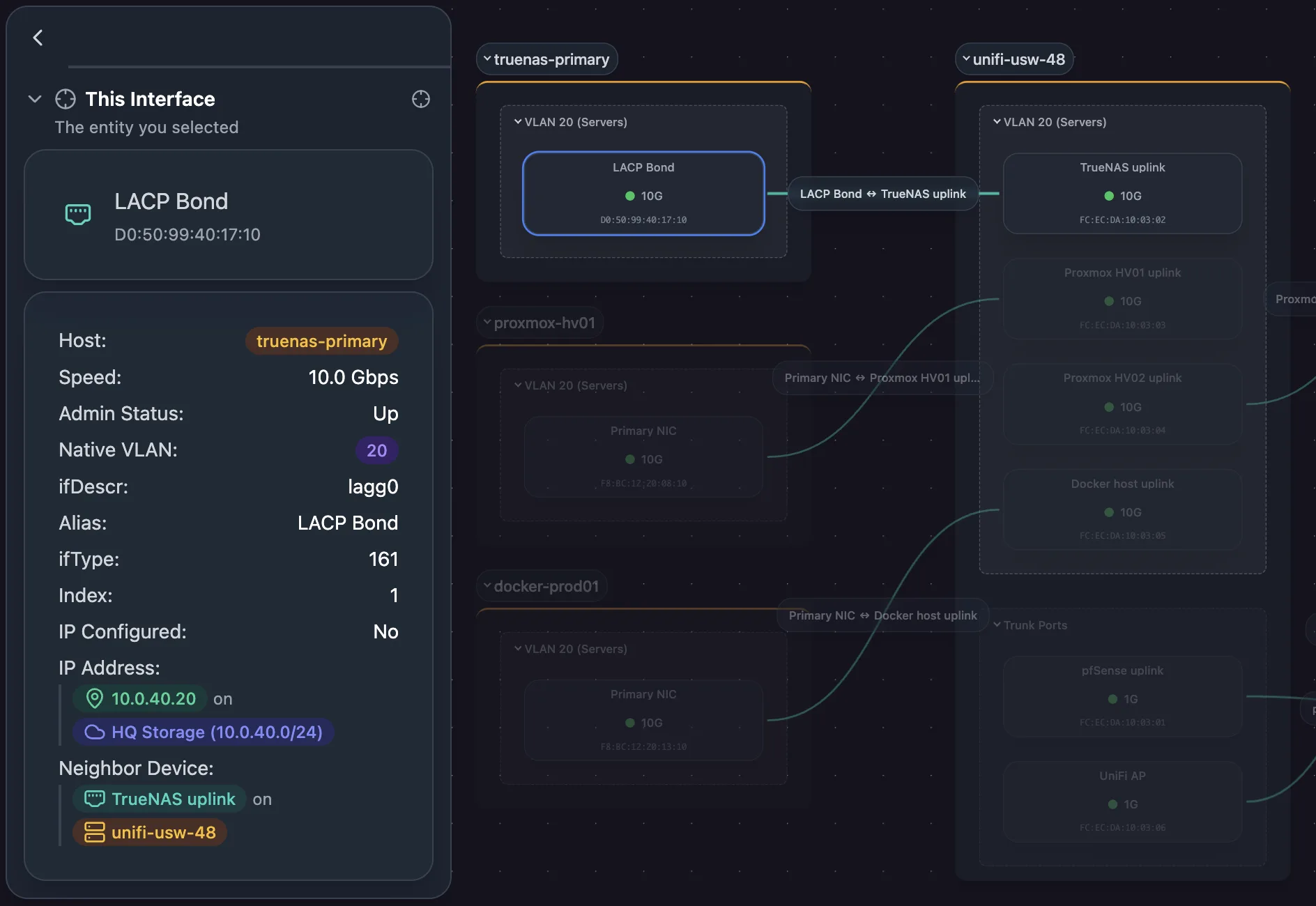
VLANs and neighbors per port
Click any port in the topology to see the VLANs it carries and the neighbor on the other end, from LLDP or CDP.
Trunks and access ports, grouped
The Physical (L2) view marks trunk ports and groups access ports by native VLAN.
Every subnet, with the VLANs behind it
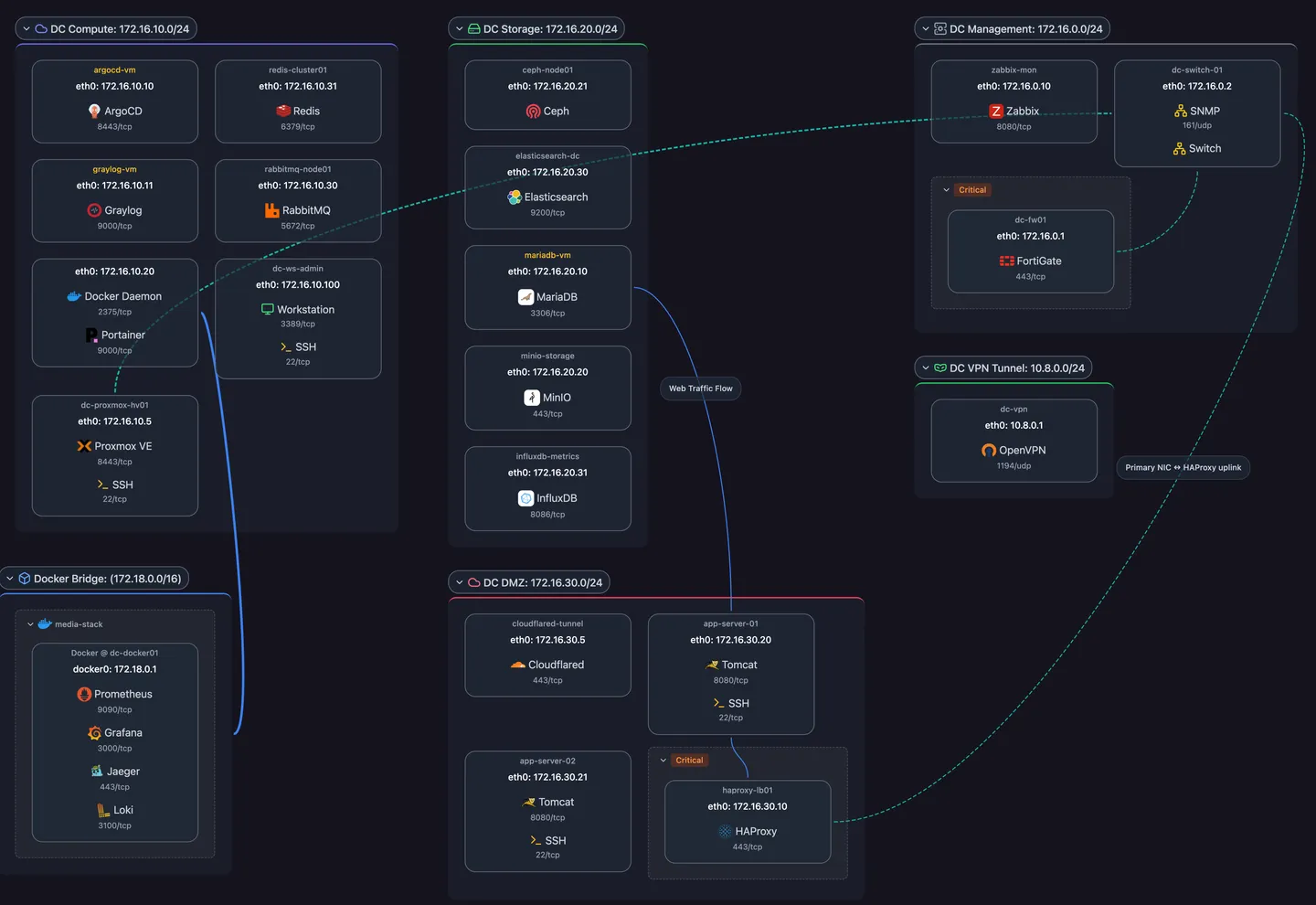
Subnets from several sources
Subnets come from the daemon’s own interfaces, SNMP address tables, Docker networks, and integrations like UniFi.
VLANs linked automatically
Each subnet lists the VLANs its hosts sit on, recomputed after every scan.
Type and utilization
Each subnet carries a type (LAN, WiFi, IoT, Guest, DMZ, VPN, and more) and shows how many of its addresses are in use.
New VLANs appear after the scan that finds them
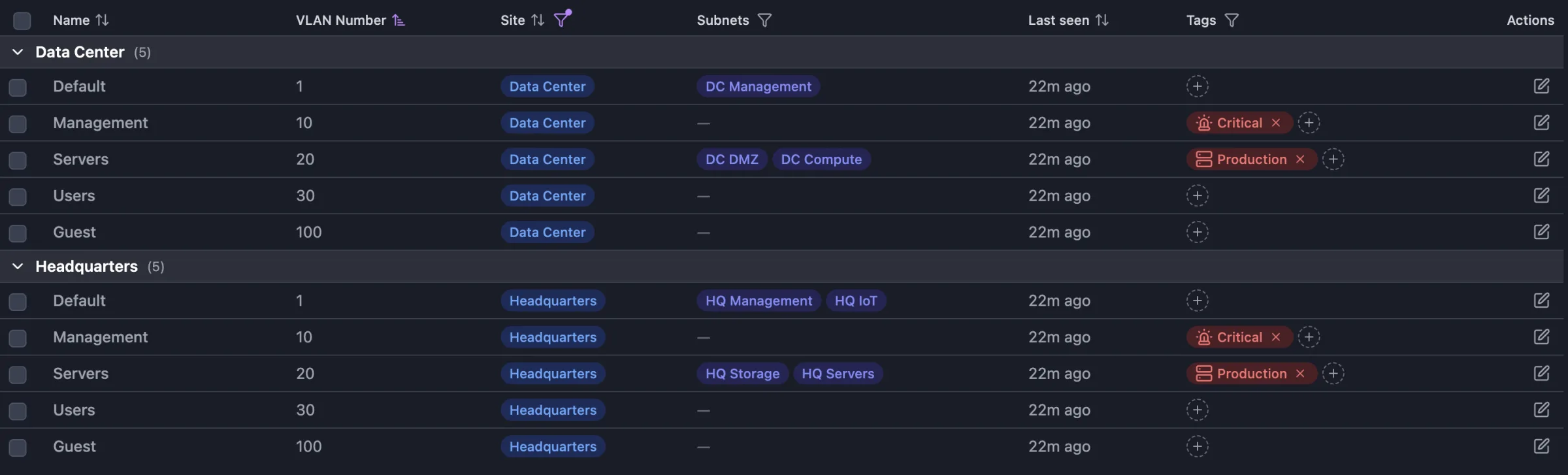
First and last seen
The VLAN list shows when each VLAN was last seen and which scan first found it.
In the scan digest
The digest after each scheduled scan lists VLANs added and VLANs gone stale.
Searchable and exportable
Filter VLANs by site or tag, search them with the rest of the inventory, and export the list to CSV.

IT department
Municipality - Sweden
"With over 800 switches in our network, keeping topology documentation up to date by hand is almost impossible. We needed automation, especially with NIS2 raising the documentation requirements. Scanopy keeps it current for us."
Solutions built on VLANs & subnets
Frequently asked questions
What does Scanopy need to discover VLANs?
SNMP read access (v1, v2c, or v3) to switches that support Q-BRIDGE-MIB, or Cisco VTP on Cisco switches. Add the SNMP credentials in Scanopy and the next scan reads the VLAN tables.
Does Scanopy change switch or VLAN configuration?
No. Scanopy is a documentation tool. It reads VLAN configuration from the switches and never writes to them.
Does the daemon need to sit on every VLAN?
Not for VLAN data, which comes from the switches over SNMP. To discover hosts on a subnet, the daemon needs to reach that subnet, either directly or through routing.