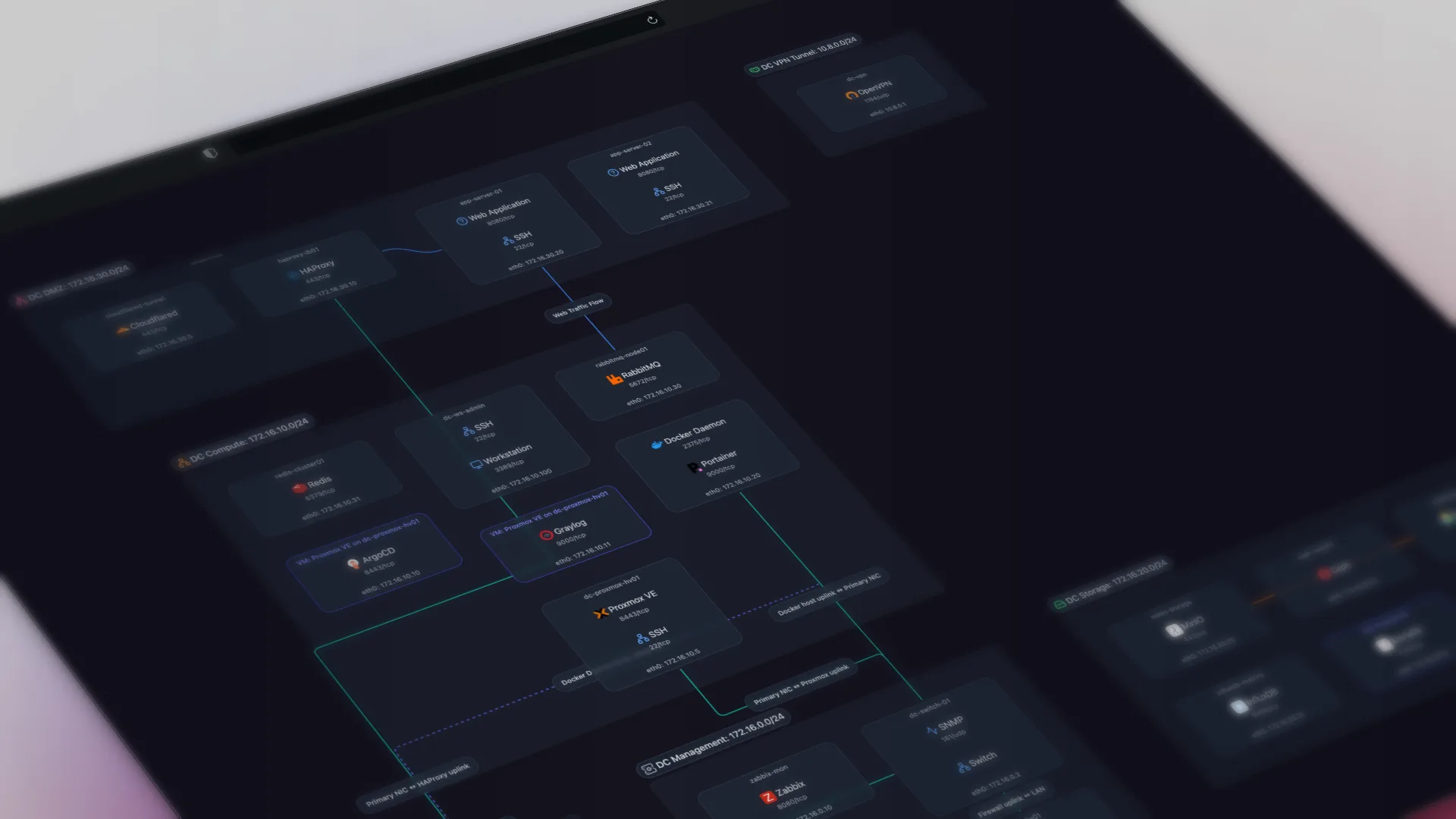
TL;DR: Docker tools show you containers one host at a time. They don't show where those containers sit on your network or what they connect to. Scanopy discovers Docker containers and nests them under the host they run on, in the same topology map as the rest of your network.
Docker makes it easy to lose track of where things actually run. docker ps tells you what is running on the host you happen to be SSHed into. Portainer gives you a clean dashboard, one environment at a time. Neither one answers the question I keep hitting in my own homelab: which host is this container on, what subnet can reach it, and what does it talk to.
That last question is a network question, and container tools are not built for it. This is about seeing your containers as part of your network, not as a list sitting on top of it.
Docker Tooling Is Scoped to One Host. Your Network Spans Many.
A container is an IP and a set of ports, like anything else on your network. But the tooling around Docker is organized by host: you look at one machine's containers, then another machine's containers, and you stitch the picture together in your head. The moment you are debugging "why can't service A reach service B," that per-host view is the wrong altitude. What that question needs is the container's position on its network, the host it runs on, the database it depends on, and the switch the whole thing hangs off.
Docker already reports what containers exist. What it does not report is where they sit on your network and what is around them.
What Scanopy Pulls From Docker
When the Scanopy daemon has access to the Docker API (via socket or TLS proxy), it reads each host's containers as part of its normal scan and collects:
- the image each container runs
- its published ports
- the Docker networks it is attached to
- its labels
This happens in the same pass that discovers the rest of your network over SNMP, LLDP, CDP, and ARP (here is how that automated discovery works). So your containers are not a separate inventory you have to reconcile. They land in the same topology as your switches, VMs, and bare-metal hosts.
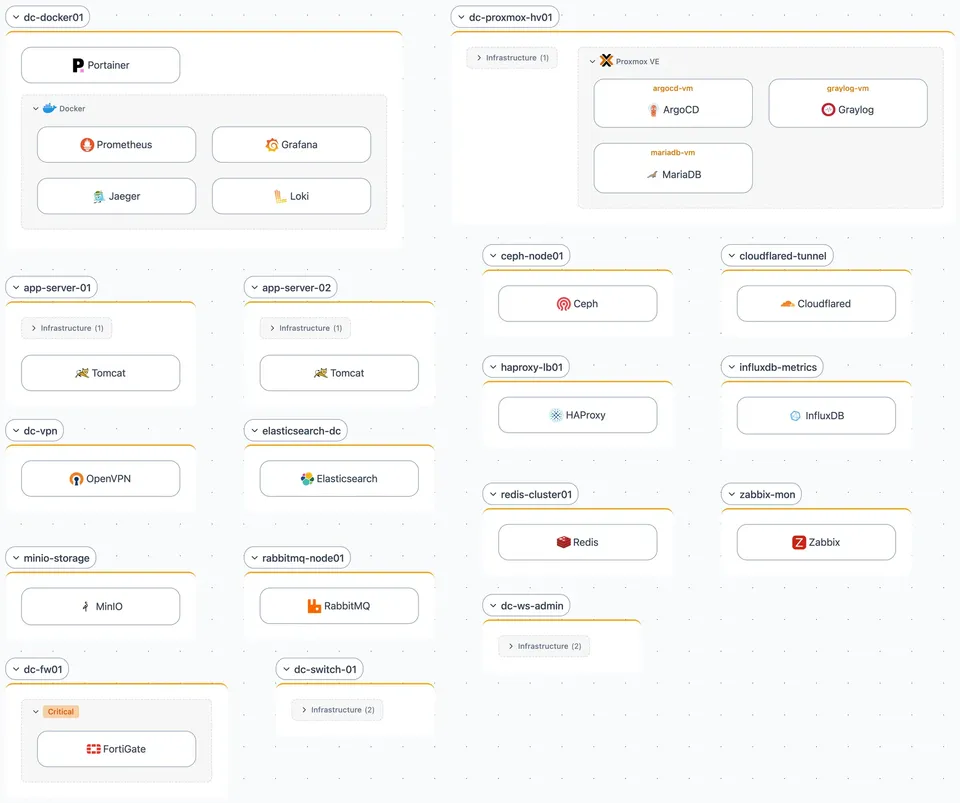
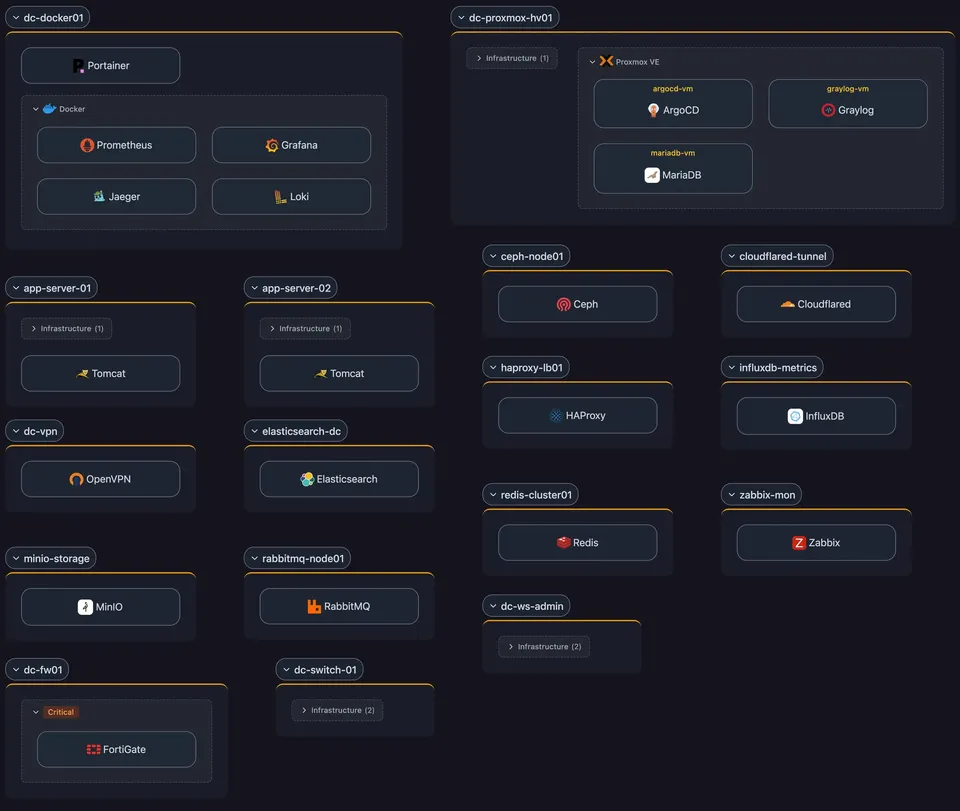
The Workloads View Nests Containers From Bare Metal to Hypervisor to VM
Scanopy produces four views from a single scan. The one built for this is the Workloads view, which shows the full nesting chain: bare metal, to hypervisor, to VM, to container.
So a Postgres container shows up nested under the Docker host it runs on, which might itself be a VM on a Proxmox node, which is a physical box plugged into a switch port. You see the whole stack in one place, without holding the layers in your head or guessing which physical machine actually runs a container.
The L3 View Draws Each Container on Its Subnet
Containers are not stuck in that one view. They also appear in the L3 (logical) view, where a Docker stack is drawn alongside the subnet it sits on. That shows the network each container communicates over, not just the host it runs on.
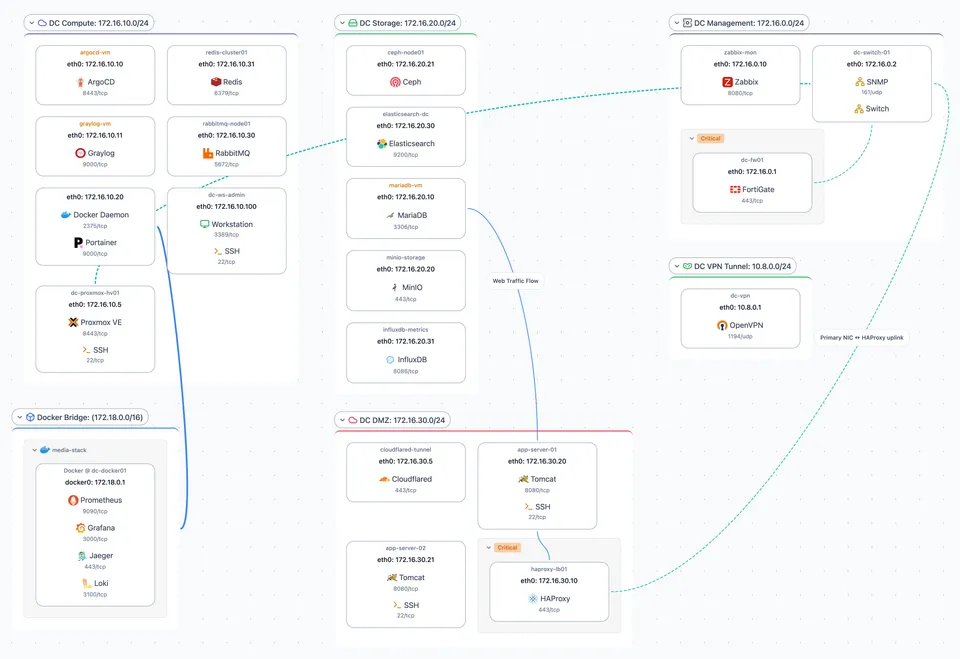
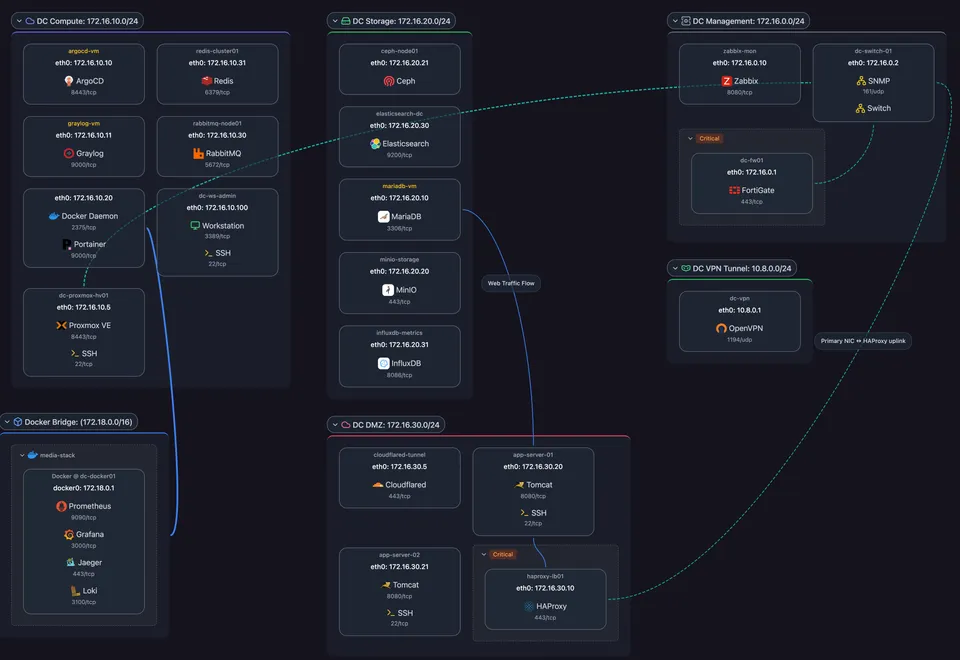
Because the map redraws on every scan, a container that moves to a different host, or one that appears or disappears, is reflected automatically. The view stays current without anyone updating a diagram.
Setting It Up
By default, the Scanopy daemon discovers containers by connecting to the local Docker socket (/var/run/docker.sock) on its own host. This happens automatically whenever the socket is accessible; there's no mode to pick or toggle to switch on. Container detection just runs as part of the normal scan, and one daemon covers the whole network. (You only create a Docker Socket credential if the daemon needs a non-default socket path.)
If you want to lock down what the daemon can touch, or discover containers on a host the daemon does not run on, point it at a Docker socket proxy instead (Scanopy is tested with Tecnativa's and wollomatic's). You run the proxy with read-only access to the socket, restrict it to the handful of API calls Scanopy needs (list and inspect containers, list networks), and create a Docker Proxy credential in Scanopy pointing at it. The same setup works for remote Docker hosts: run the proxy there, and the daemon discovers those containers over the network.
Either way, detection picks up containers wherever they run, so a mixed homelab of Docker on one host and VMs or LXC on others shows up as one coherent map rather than several disconnected ones.
Scanopy Does Not Manage or Deploy Containers
Scanopy is not a container manager. It will not start, stop, or deploy anything, and it is not trying to replace Portainer, Komodo, or your orchestrator. Those tools manage containers. Scanopy shows you where your containers sit on the network and what they connect to. They work well side by side: manage in your container tool, see the topology in Scanopy.
If you are mapping the rest of your gear too, the same scan that finds your containers also walks your switches and routers over SNMP. Here is the deeper version of that: exploring your network topology with SNMP. And Scanopy fingerprints the services running on each host, so a host is not just an IP, it is "the box running Postgres, Nginx, and twelve containers."
Running Podman instead of, or alongside, Docker? Discovery works the same way, but pods change how ports and networks are reported. The guide to visualizing Podman containers and pods covers what is different.
Frequently Asked Questions
How do I see which host a Docker container runs on across my network?
Use a tool that discovers containers as part of a network scan rather than per host. Scanopy reads each host's Docker API during its normal scan and places every container under the host it runs on, in the Workloads view. That view shows the full chain from bare metal to hypervisor to VM to container, so you can see exactly which physical machine runs a given container.
What does Scanopy pull from Docker?
When the daemon has access to the Docker API over a socket or TLS proxy, it reads each container's image, its published ports, the Docker networks it is attached to, and its labels. It collects this in the same pass that discovers the rest of the network over SNMP, LLDP, CDP, and ARP, so containers land in the same topology as your switches, VMs, and bare-metal hosts.
How is this different from Portainer or docker ps?
Docker ps and Portainer show containers one host or environment at a time, organized by machine. They answer what is running, not where it sits on the network or what it connects to. Scanopy draws each container on its network, under the host it runs on and alongside the subnet and services around it, which is the view you need when debugging why one service cannot reach another.
How do I set up Docker discovery in Scanopy?
By default the daemon connects to the local Docker socket on its own host automatically, whenever the socket is accessible; there's no mode to pick or toggle to switch on, detection just runs as part of the normal scan. Create a Docker Socket credential only for a non-default socket path. To restrict access or reach containers on another host, run a read-only Docker socket proxy and add a Docker Proxy credential.
Can Scanopy discover containers on remote Docker hosts?
Yes. Run a Docker socket proxy on the remote host with read-only access, restrict it to the calls Scanopy needs (list and inspect containers, list networks), and the daemon discovers those containers over the network. A mixed setup of Docker on one host and VMs or LXC on others then shows up as one coherent map rather than several disconnected ones.
Does Scanopy manage or deploy Docker containers?
No. Scanopy is a documentation tool, not a container manager. It will not start, stop, or deploy anything and is not trying to replace Portainer, Komodo, or your orchestrator. It shows where your containers sit on the network and what they connect to. The two work well side by side: manage containers in your container tool, see the topology in Scanopy.
Started as a homelabber, now deep in SNMP MIBs, Layer 3 topology, and service fingerprinting - building the network documentation tool I wished existed.