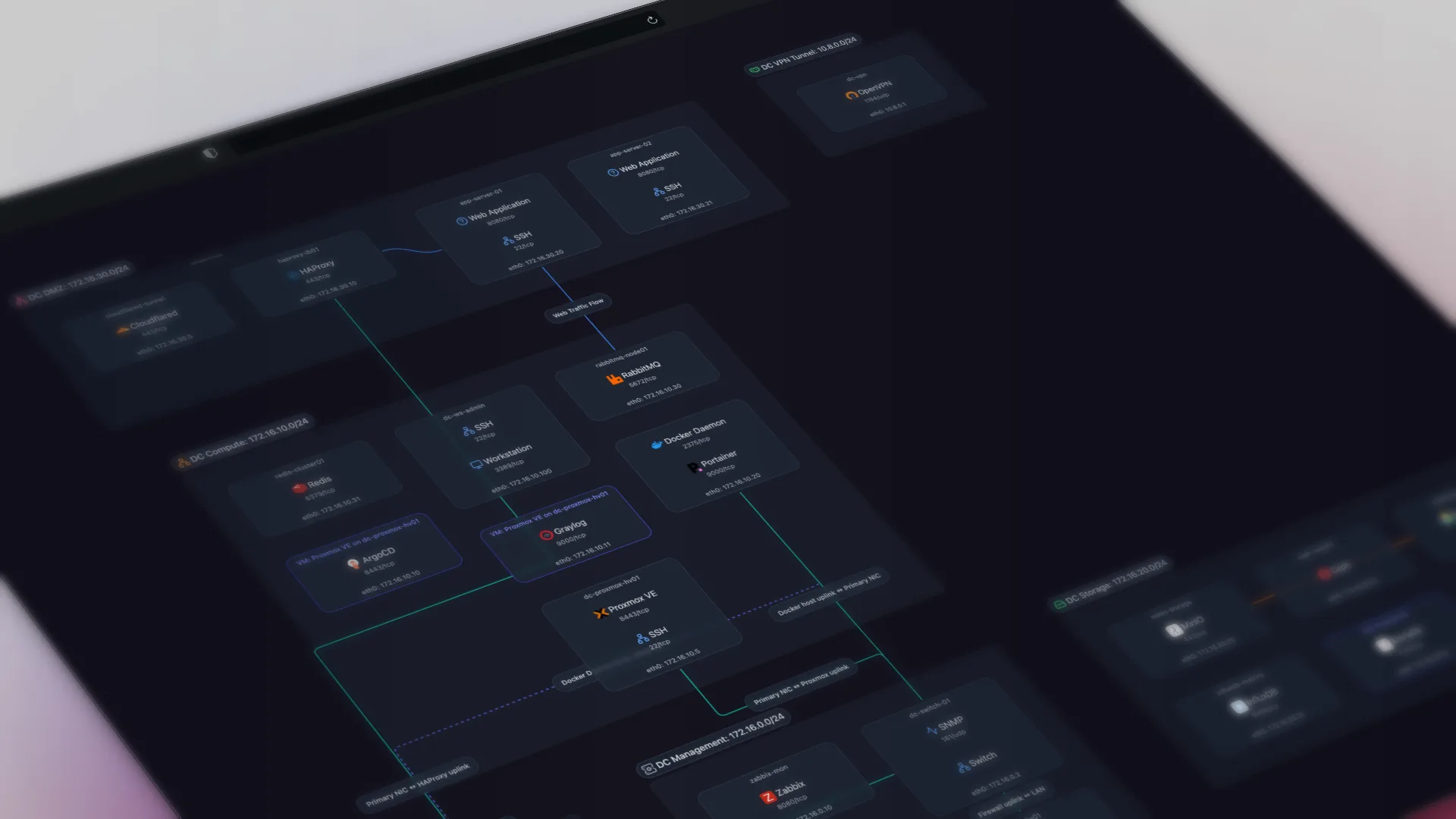
TL;DR: Network documentation software keeps a current record of what's on your network: devices, connections, and services. The useful kind discovers this automatically instead of asking you to type it into a spreadsheet or redraw a diagram. This covers what the category does, how automated tools differ from manual templates, the open-source options, and where the lines with monitoring and ITAM actually fall.
Network documentation software keeps an accurate, current record of your network: what devices exist, how they connect, and what runs on them. The category splits into two kinds. One asks you to enter and maintain that record by hand. The other discovers it from the network itself and keeps it current automatically. The manual kind is out of date as soon as the network changes.
What does network documentation software do?
Good network documentation software answers three questions and keeps the answers current:
- What is on the network? Hosts, their IP and MAC addresses, hostnames, and vendors. The deeper tools also fingerprint the services running on each host, so a box isn't just an IP, it's "the machine running Postgres, Nginx, and a stack of containers."
- How is it connected? Physical links between switches, routers, and hosts, plus the logical layer of subnets and VLANs. This is the part manual diagrams get wrong first, because cabling and topology change without anyone updating the drawing.
- What changed? A record you can trust over time, not a file someone last touched eighteen months ago.
The output is usually a topology map plus a searchable inventory. Documentation software derives that data from discovery; a drawing tool derives it from memory. If your emphasis is on reading the topology itself, switching between the physical, logical, and dependency layers, rather than keeping an accurate record, that is the visualization angle, covered in our network mapping software guide.
Automated vs manual: why templates go stale
A network documentation template is a reasonable place to start. It gives you structure. But the moment you fill it in, it starts going stale, because networks change constantly and spreadsheets are updated only when someone remembers to. The honor system does not work for documentation maintenance.
Automated network documentation solves this by taking humans out of the update loop. Software queries the network directly using protocols your devices already implement (SNMP, LLDP, CDP, and ARP), maps what it finds, and rescans on a schedule. No drawing, no data entry, no discipline required. Here is a deeper look at how automated network documentation works, and if you want to compare specific tools by discovery method and pricing, we put together a network diagram tools comparison.
The practical test for any tool marketed as "automated": does it discover your network and produce the documentation without you drawing anything? Some tools marketed as documentation software are diagram editors with a stencil library.
Documentation, monitoring, and ITAM are not the same thing
This category gets muddy because three different kinds of tools all touch your device inventory. They are not substitutes.
| Tool type | Core job | Priced for |
|---|---|---|
| Network documentation | Keep an accurate map and inventory of what exists and how it connects | Completeness (whole network) |
| Network monitoring | Watch device health, alert on problems, track performance over time | Per-device attention |
| IT asset management (ITAM) | Track ownership, lifecycle, licensing, and procurement of assets | Asset records |
Most teams need more than one of these. Documentation software tells you the network's shape; monitoring tells you when part of it is on fire; ITAM tells you who owns the laptop and when its warranty ends. The right setup runs them alongside each other, not one instead of another. A documentation tool that tries to also be your monitoring platform usually does neither part well.
Open-source network documentation software
Open-source options matter for two reasons: self-hosting on a network that can't phone home, and avoiding per-seat or per-device licensing.
- Scanopy Community Edition is AGPL-3.0 (an OSI-approved open-source license). It's the documentation-focused, self-hosted path: automated discovery, per-host service detection, and, unlike the other open-source options here, four switchable views of the same scan (physical L2, logical L3, workloads, and applications). Most OSS tools give you a single view, usually L2 topology. Getting those four views from a single scan is the main reason to reach for Scanopy CE over NetDisco or a NetBox plugin.
- NetDisco is a long-standing open-source tool for Layer 2 topology discovery and device inventory, strong on switch port mapping.
- NetBox is open source too (Apache-2.0), and its NetBox Discovery agent (also open source) can actively scan your live network, so it's not limited to what you type in. Its job is still different from Scanopy's: NetBox is a structured source of truth (DCIM plus IPAM) behind a REST and GraphQL API, and it has no native topology visualization (maps come from community plugins like netbox-topology-views). It's the data model; Scanopy is the map. The two pair well together.
If your requirement is "self-hosted and free to start," the Community Edition covers the documentation use case. If you outgrow it, the commercial editions add team features and support without changing the pricing model.
Per-device pricing makes complete documentation the most expensive option
Documentation's value is completeness. A map that covers 80% of your devices isn't 80% as useful, it's close to useless, because the undocumented 20% is where the outage will be. Per-device pricing works for monitoring, where you can watch critical devices closely and sample the rest. For documentation it makes complete coverage the most expensive option, so documenting more of your network costs you more.
That's why Scanopy prices flat regardless of host count. Pricing documentation independently from monitoring also means you can switch monitoring platforms later without losing your maps.
How do you choose network documentation software?
- You want the network documented without maintaining it by hand: an automated, discovery-based tool. That is what the category is for.
- You need it self-hosted or free to start: Scanopy Community or NetDisco.
- You already have monitoring and just need current documentation: a dedicated documentation tool that runs alongside it, priced independently.
- You need a structured source of truth for automation to consume: NetBox (its data model feeds Ansible, Nornir, Terraform), with its own NetBox Discovery agent or another feeder keeping it current. Pair it with a visualization tool, since NetBox has no native maps.
- You only need a one-time diagram for a presentation: a manual tool like draw.io. Don't buy documentation software for a single drawing.
Scanopy documents the network and runs alongside monitoring and ITAM
Scanopy is network documentation software, not a monitoring or asset platform. A lightweight daemon discovers your hosts, services, interfaces, and topology, then builds an interactive map with four views of the same scan (physical L2, logical L3, workloads, and applications). The map updates on a schedule. You can embed it in a wiki or intranet via iframe, share a read-only link that stays current as the network rescans, or export a snapshot as an image (PNG, SVG, PDF, HTML), as diagram markup (Mermaid, Confluence), or as CSV data. It runs alongside whatever monitoring and ITAM tools you already have.
Frequently Asked Questions
What is network documentation software?
Network documentation software keeps a current, accurate record of your network. The devices on it, how they're connected, and what services run on them. The automated kind discovers this directly from the network and keeps it updated on a schedule, instead of relying on someone to maintain a spreadsheet or diagram by hand.
What is the best open-source network documentation software?
For discovery-based documentation, Scanopy Community Edition (AGPL-3.0, self-hosted) and NetDisco (Layer 2 topology and inventory) are the main options. NetBox is open source as well and, with its NetBox Discovery agent, can scan your live network too; what it doesn't do natively is visualize topology (that comes from community plugins), so it's a structured source of truth rather than a map.
Is network documentation software the same as network monitoring?
No. Documentation software records what exists and how it connects; monitoring watches device health and alerts you to problems. They solve different problems and most teams run both. A documentation tool complements a monitoring platform, it doesn't replace it.
How is automated network documentation different from a template?
A template is a blank structure you fill in and maintain by hand, so it goes stale as the network changes. Automated network documentation discovers the current state from the network itself using protocols like SNMP and LLDP, and rescans on a schedule, so the record stays accurate without manual updates.
Does network documentation software replace IT asset management?
No. ITAM tracks ownership, lifecycle, licensing, and procurement. Network documentation tracks what's on the network and how it's connected. They overlap on the device inventory but answer different questions, and they're typically used together.
How much does network documentation software cost?
The pricing model matters more than the sticker price. Monitoring-adjacent tools charge per device, which penalizes documenting everything, and documentation's value is completeness. Open-source options like Scanopy Community Edition and NetDisco are free to self-host. Scanopy's commercial editions are priced flat regardless of host count, so documenting your whole network costs the same as documenting part of it.
Started as a homelabber, now deep in SNMP MIBs, Layer 3 topology, and service fingerprinting - building the network documentation tool I wished existed.