TL;DR: A network documentation template covering device inventory, IP addressing, VLANs, and connections. Templates are a reasonable starting point, but they go out of date within days. Automated discovery keeps documentation accurate without the upkeep.
I'll give you the template. It's half a scroll away, and it works as a starting point.
I tried one myself. It was wrong within a week. So I built a tool instead.
Here's A Network Documentation Template!
This is roughly what I started with for my homelab. It's simple on purpose; an over-engineered template is one you'll never fill in.
Also, my homelab was simple.
Device Inventory
| Hostname | IP Address | MAC Address | Type | OS / Firmware | Services | Notes |
|---|---|---|---|---|---|---|
| router01 | 192.168.1.1 | aa:bb:cc:00:01:01 | Router | OpenWrt 23.05 | DHCP, DNS forwarding, guest WiFi | Living room closet |
| beelink01 | 192.168.1.10 | aa:bb:cc:00:01:10 | Mini PC | Proxmox VE 8.1 | Home Assistant, WireGuard, Nginx Proxy Manager | Closet shelf |
| rpi01 | 192.168.1.20 | aa:bb:cc:00:01:20 | SBC | Raspbian 12 | Pi-hole, Unbound | Closet shelf |
| nas01 | 192.168.1.30 | aa:bb:cc:00:01:30 | NAS | DSM 7.2 | File shares, backups | Closet floor |
Network Layout
| Network | Subnet | Gateway | DHCP Range | Purpose |
|---|---|---|---|---|
| LAN | 192.168.1.0/24 | 192.168.1.1 | .100-.250 | Everything: servers, clients, devices |
| WireGuard | 10.0.0.0/24 | 10.0.0.1 | N/A (static) | Remote access VPN |
| Guest | 192.168.2.0/24 | 192.168.2.1 | .100-.250 | Guest WiFi (router-managed, isolated) |
Topology Notes
This is the part a table can't hold: how the segments connect, what's deliberately isolated from what, and the one or two decisions future-you will have forgotten the reason for. Keep it to a few lines. It's the section that saves you at 3am.
- Internet -> router01 -> LAN (flat network)
- WireGuard on beelink01 for remote access
- Guest network isolated by router, internet only
- Planned: IoT VLAN for smart home devices (never got around to it)
Copy these tables, swap in your own values, and you have working network documentation.
My Documentation Was Wrong Within a Week
I tried the table approach I just shared. It was accurate as long as I didn't change anything, but naturally I'd be tinkering regularly, spinning up new containers, setting up a second Pi-hole to try out high(er) availability, changing my DNS config. The spreadsheet still showed the old setup. I never opened it again.
So ultimately, my network documentation existed entirely in my head, a vague mental model that got fuzzier every time I added another container at 2am.
This isn't just a homelab problem. Keith Tokash put it well on Packet Pushers: the honor system does not work for documentation maintenance. It doesn't matter how disciplined your team is; people get busy, changes happen at 2am during outages, and nobody goes back to update the docs.
It scales up, too. According to The Trevi Group, most IT teams have documentation scattered everywhere: spreadsheets in someone's OneDrive, old Visio diagrams from three network refreshes ago, notes buried in ticketing tools, a wiki page that might be current or might be from 2019.
And worse: stale documentation is arguably more dangerous than no documentation. No documentation, you know you're flying blind. Stale documentation, you think you have a map, but it's a map of a network that no longer exists.
Why Templates Go Stale
A template is a snapshot. A network changes daily.
Every time someone spins up a VM, plugs in a new access point, or changes a DHCP scope, that template gets a little more wrong. It is usually noticed during an outage, exactly when you can't afford it to be wrong.
There's a deeper problem too. The person who fills in the template is usually the person who already knows the network. They don't need the documentation. It exists for everyone else: the new hire, the MSP taking over, the person responding to a 3am outage when the network person is on vacation.
When that knowledgeable person leaves, or just gets busy for a few months, nobody updates the template. Not because they're lazy, but because updating documentation for a network you don't fully understand is almost impossible. You'd have to rediscover the network first, which is the hard part the template was supposed to save you from.
I Built a Daemon That Discovers the Network Instead of Maintaining a Table
I went the technical overkill route and built a tool.
r/selfhosted is full of beautiful hand-drawn network diagrams. They're great for learning and sharing, but they have the same problem as templates. The moment you change something, the diagram is wrong. I wanted the same utility, generated from the network on every scan, so it stays current without you thinking about it.
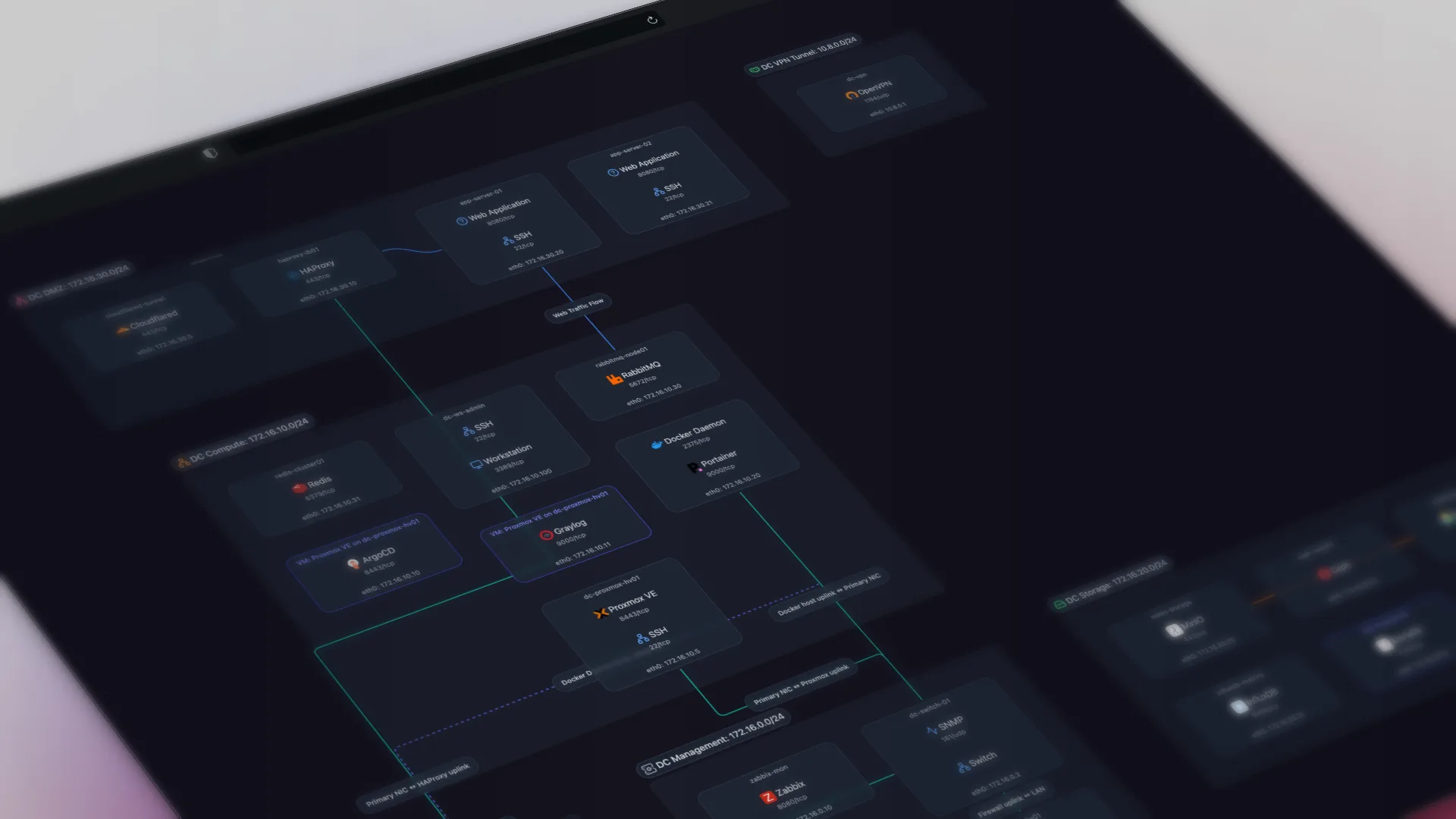
Scanopy deploys a lightweight daemon on your network. It discovers devices and over 200 services, maps connections via SNMP, and generates an interactive topology map that stays current with scheduled scans. It even visualizes Docker containers and what they're running. No spreadsheets. No manual entry. The documentation stays current because it's generated from the actual network, not from someone's memory.
Deploy the daemon, point it at your subnets, and you get a live network map in minutes. Scanopy runs scheduled scans, so the map stays current as your network changes. New device? It shows up on the next scan.
Here's what that looks like in practice, this is a live Scanopy map you can click around in:
That is why I stopped maintaining a spreadsheet. And yes, you can embed your own Scanopy network diagrams anywhere too.
I built this for my homelab. Brandon Lee at VirtualizationHowTo put it through its paces on a production network and came to the same conclusion: manual diagrams don't survive contact with a real environment.
Scanopy isn't the only tool that does this. If you want to weigh the options, we compared network diagram tools by discovery method, pricing, and how often the map updates.
The template gives you a snapshot of column headers. Scanopy gives you an interactive, shareable map you can embed anywhere, and it can't go stale because it's reading the network directly. If you still want the spreadsheet, Scanopy exports CSVs and has an API. Same data, always current.
When a Template Is the Right Call
Templates aren't useless. They're the wrong tool for documenting a live network, but they're great for things that don't change constantly:
Planning and design docs. Designing a new office network? A template or diagram tool is perfect. You're documenting what should exist, not what does exist.
Compliance documentation. Some audits require specific formats. Templates give you the structure, but the data filling them should come from an automated source. Scanopy's CSV export and API can feed your compliance templates with current data instead of whatever someone remembered to type in last quarter.
Runbooks and procedures. "When the VPN goes down, do X, Y, Z." Process docs are stable. Network inventory isn't.
Frequently Asked Questions
What should a network documentation template include?
At minimum, a device inventory (hostname, IP, MAC, device type, OS or firmware, and services), a network layout showing each subnet, gateway, and DHCP range, and topology notes describing how those segments connect. That covers the fields a template needs. The hard part is not the structure but keeping the values accurate as the network changes.
Why do network documentation templates go stale?
A template is a snapshot, but a network changes constantly. Every new VM, access point, or DHCP change makes the template slightly more wrong, and it is usually corrected only during an outage. The person who fills it in already knows the network and does not need it, so maintenance falls to whoever has the least context.
Is stale network documentation worse than no documentation?
Yes. With no documentation you know you are working blind and proceed carefully. Stale documentation gives you false confidence: you think you have an accurate map, but it describes a network that no longer exists. That mismatch is most dangerous during an outage, exactly when you are relying on the documentation to be correct.
What is the alternative to maintaining a network documentation template by hand?
Automated discovery. Instead of typing values into a spreadsheet, a tool scans the network and generates the documentation from what actually exists. Scanopy deploys a lightweight daemon that discovers devices and services, maps connections, and produces an interactive topology map that stays current on scheduled scans, so the documentation cannot drift from reality.
When is a network documentation template still the right choice?
Templates work well for things that do not change constantly: planning and design docs for a network you are about to build, compliance documents that require a specific format, and runbooks or procedures. For a live network inventory that changes weekly, automation is a better fit. Use templates for static information and automated discovery for anything that evolves.
Can I export automated network documentation into a spreadsheet or template?
Yes. Scanopy exports CSV files and offers an API, so you can feed current, discovered data into a compliance template or spreadsheet instead of retyping it from memory. You get the structured format when you need it, with values that reflect the actual network rather than whatever was last entered by hand.
Started as a homelabber, now deep in SNMP MIBs, Layer 3 topology, and service fingerprinting - building the network documentation tool I wished existed.