Network documentation softwarethat keeps the map current.
A lightweight daemon discovers your hosts, services, interfaces, and topology, and rescans on a schedule. Nothing to draw, no spreadsheet to maintain.
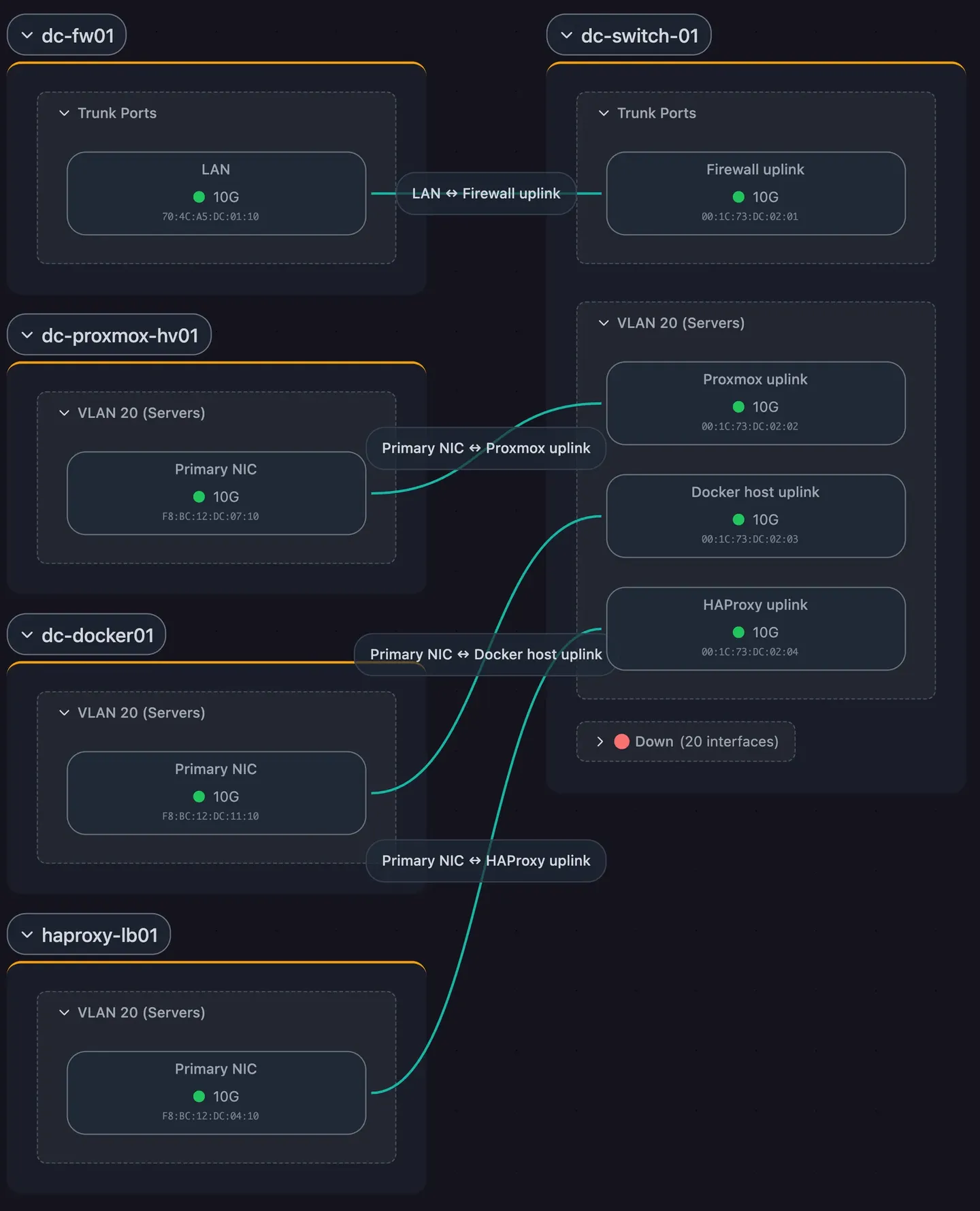
One scan produces four views of the same network
Hosts, services, interfaces, topology, SNMP device details, and containers, rendered as physical cabling, subnets, workloads, and application dependencies.
Nobody has to come to you for the current diagram
Three ways to get the current map out, and a dated record of how it changed.
No per-device bill, no lock-in, and you choose where it runs
 IT department, Motala Kommun (Swedish municipality)
"With over 800 switches in our network, keeping topology documentation up to date by hand is almost impossible. We needed automation, especially with NIS2 raising the documentation requirements. Scanopy keeps it current for us."
See it on your own network.
Prefer to self-host? The commercial editions run in your own environment with support, and pricing covers the tiers.
Frequently Asked Questions
How does Scanopy discover the network?
A lightweight daemon runs inside your network and queries devices using protocols they already implement: SNMP for device and interface data, LLDP and CDP for neighbour relationships, and ARP and MAC forwarding tables for the links those do not cover. It also detects the services running on each host, and reads Docker containers where it has access to the container socket.
How often does the documentation update?
Scans run on a schedule you set, and the map reflects the most recent scan. You can also save a dated snapshot at any point, which gives you a record of what the network looked like on a given date and what changed since.
Can Scanopy run self-hosted?
Yes. The commercial self-hosted editions run entirely on your own infrastructure, and the discovery data, topology, and credentials stay inside your perimeter. Scanopy runs in air-gapped and on-premise environments with no outbound internet access, which suits OT networks and strict egress policies. Scanopy Community Edition is AGPL-3.0 and self-hosted as well.
Does Scanopy replace my monitoring platform?
No. Scanopy is a documentation tool and runs alongside whatever monitoring and asset management you already have. It does not do monitoring, alerting, traffic analysis, patch management, or configuration backup. It documents what is on the network and how it connects, and keeps that record current.
How do I get the map into our documentation?
Three ways, and they do different jobs. Export a static copy as an image (PNG, SVG, PDF), a self-contained HTML page, wiki markup (Mermaid or Confluence), or CSV of the underlying host and service data. Embed the live map in a wiki, dashboard, or intranet page via iframe. Or share a read-only link to the live map, which stays current as the network rescans.
How is Scanopy priced?
Flat, regardless of host count. Documentation is only useful when it covers the whole network, so per-device pricing would make complete coverage the most expensive option. Current tiers for both cloud and self-hosted are on the pricing page.
For what the category covers beyond Scanopy, see the network documentation software guide.