TL;DR: Network documentation that depends on one person's memory does not survive their departure. The fix isn't documenting more. It's automating documentation so it survives personnel changes.
Your network person puts in two weeks' notice. Or gets a better offer and leaves in one. Or just stops showing up.
Everything they know about your network leaves with them. Subnet layouts, firewall rule rationale, that workaround on the core switch that nobody else understands, the reason VLAN 42 exists. None of it is written down. Some of it is in a spreadsheet from 2023 that's missing half the current infrastructure.
Their replacement starts on Monday. Day one is not productive. Neither is day thirty.
This is the "bus factor" problem.
The Configs Are in the Devices. The Reasoning Behind Them Is Not.
Auvik's 2023 Network IT Management Report surveyed 4,500 IT professionals and found that 45% of IT teams don't fully know the configuration of their own networks. That's not "we forgot to update the diagram." That's "we don't know what's running."
Across industries, roughly 42% of institutional knowledge resides solely with individual employees. For network infrastructure specifically, the problem is worse because the most critical knowledge isn't what's configured. It's why it's configured that way.
The configs are in the devices. You can pull them. What you can't pull:
- Why the OSPF areas are split the way they are
- Which firewall rules were added as temporary fixes and never removed
- Why that one subnet uses a /23 instead of a /24
- Which vendor's SNMP implementation is broken and requires a workaround
- The undocumented dependency between the print server and a specific VLAN
This is tribal knowledge. It accumulates over years and it is gone when the person leaves.
Replacing a Network Engineer Costs 150-213% of Salary, Before the Reverse-Engineering Time
IT staff turnover averages about 13% annually, higher than the national average across industries. That means roughly one in eight IT roles turns over every year.
The direct cost of replacing a specialized IT role runs 150% to 213% of their annual salary. For a senior network engineer making $120k, that's $180k to $255k in recruiting, onboarding, and lost productivity.
The replacement doesn't just need to learn the job. They need to reverse-engineer the network. Every undocumented decision becomes a puzzle to solve, and they're solving it while also handling tickets and keeping things running.
Gartner estimates that 40% of network outages stem from human errors tied to inadequate documentation. When someone new is working from incomplete information, that number gets worse.
Two Inherited-Network Accounts From Sysadmin Forums
The cascade departure. A junior tech posted on r/Sysadmin_Fr about joining a training organization where the original admin had stepped back, one replacement quit because the lack of processes was unbearable, and another went on sick leave right after getting hired permanently. The junior was now solo on a 400-PC fleet with scattered configs, no procedures, and passwords they couldn't find. They spent an entire morning just getting a FortiClient passphrase. When a remote site's firewall went down, the stored password didn't match. They later found two wall sockets patched together causing a network loop, something spanning tree would have caught if it had been configured. The community recommended NetBox, draw.io, Excel, and pen and paper. Starting from scratch was the only option.
The fired sysadmin. Another thread described a senior admin who was terminated after a new manager pushed him out. During offboarding, his accounts were deleted, which also wiped the documentation tied to those accounts. Manufacturing plants went down. The company begged him to come back. He refused.
Why "Just Document Everything" Doesn't Work
The standard advice is "write everything down." The problem: manual documentation is unpaid, unscheduled work.
Auvik's network field report found that 27% of organizations never or rarely update their network documentation. Another 41.5% update monthly or less, despite 53% making config changes daily or weekly.
There's a gap between "config changed" and "docs updated." Knowledge is lost in that gap. Red Hat's sysadmin blog: poor documentation is not a job insurance strategy. But telling overworked IT staff to document more doesn't fix the problem. It adds a task to a list that's already too long.
Manual documentation goes out of date by default. The person who writes it eventually leaves, and the person who replaces them doesn't trust it because they can't tell what's current.
Documentation Generated From the Network Survives a Departure. Documentation Kept by Hand Does Not.
The fix isn't discipline. It's removing the human bottleneck.
Documentation that depends on someone remembering to update a spreadsheet will always lag behind reality. Documentation that generates itself from the network doesn't have that problem.
Automated discovery works like this: a lightweight daemon runs on your network and scans it on a schedule. It discovers hosts, services, connections, and topology using protocols like SNMP, LLDP, CDP, and ARP. The output is a live topology map that reflects what's actually on the network right now, not what someone drew six months ago.
What survives a departure: anything that updates itself. What doesn't: anything that depends on one person's habits.
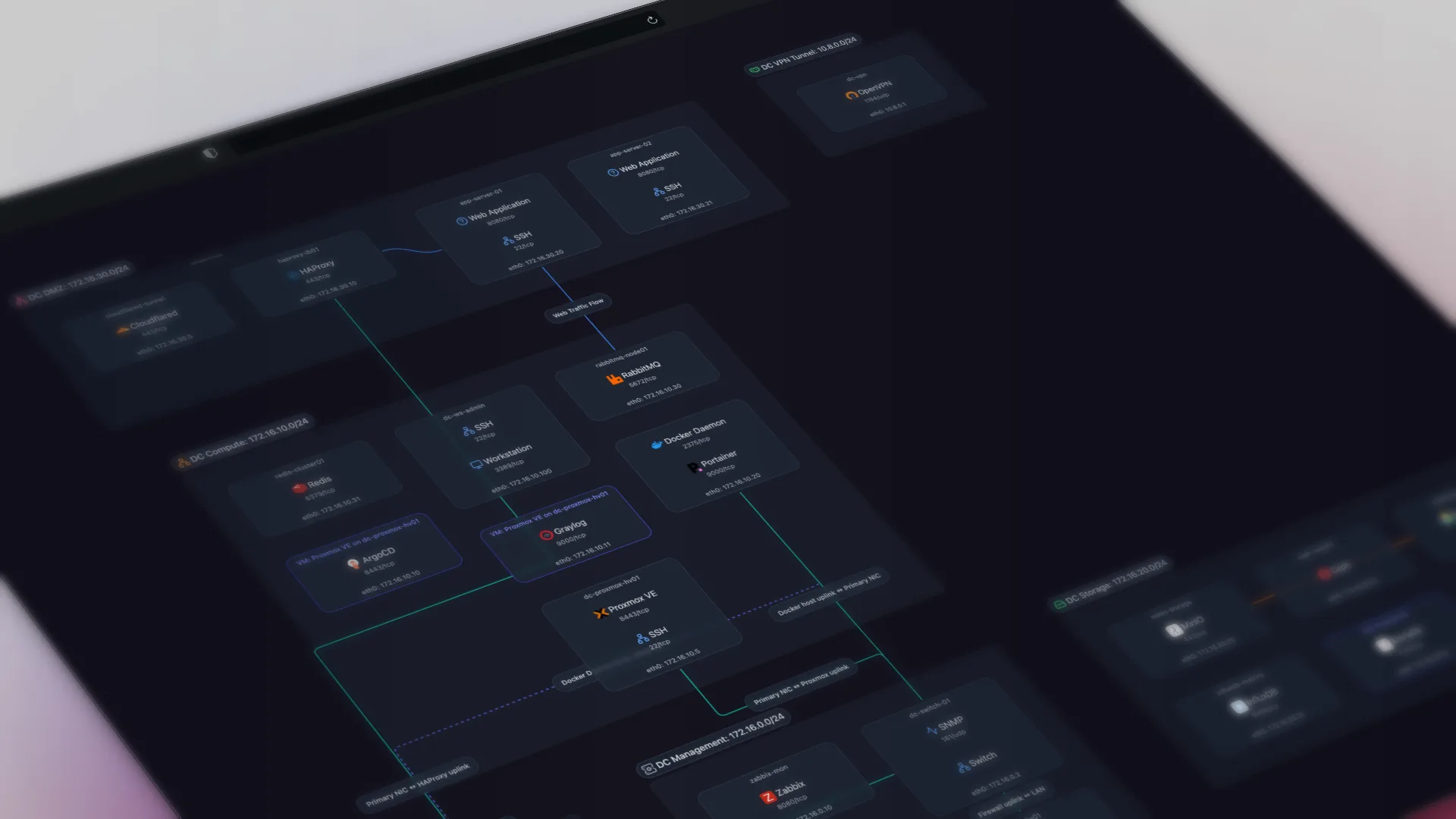
This is what we built Scanopy to do. Deploy a daemon, get a topology map that updates on a schedule. No manual drawing, no spreadsheets to maintain. When your network person leaves, the map is still current because it was never dependent on them.
Here's what that looks like in practice; this is a live Scanopy map you can interact with:
But even if you don't use Scanopy, the principle holds. Any automated discovery tool (there are several) is better than documentation that relies on human memory.
What to Do This Week
You don't need a month-long documentation initiative. Start with these:
Identify your bus factor. Who on your team holds network knowledge that nobody else has? If the answer is one person, that's your single point of failure.
List the undocumented decisions. Not the configs (those are in the devices) but the why behind the configs. Why is the network segmented this way? Why does that rule exist? Write down the reasoning, not just the settings.
Run an automated discovery scan. Even a single scan gives the next person a starting point. They'll know what's on the network without having to trace cables. If you're picking a tool, our network diagram tools comparison breaks down discovery method and pricing across the main options.
Export your current network state. If your network topology lives in someone's head, get it out. A rough diagram is better than no diagram. An auto-generated one is better than both.
Test the handoff. Pick a specific task (find the DHCP server, identify what's on VLAN 10, trace the path between two hosts) and ask someone else on your team to do it without asking the network person. If they can't, that's what you need to document first.
Stop relying on templates alone. Templates are a starting point, but they go stale for the same reason all manual documentation goes stale. The goal is documentation that maintains itself.
Frequently Asked Questions
What is the bus factor, and why does it matter for networks?
The bus factor is how many people would need to leave before critical knowledge is lost, often just one. For networks it is acute because the most valuable knowledge is not the configuration itself, which is stored in the devices, but the reasoning behind it. That why accumulates over years in one person's head and is gone when they leave.
Why isn't just document everything enough?
Because manual documentation is unpaid, unscheduled work, and it goes out of date by default. Surveys show many organizations rarely update their docs even though they change configs weekly, so a gap opens between what changed and what is written down. Telling overworked staff to document more adds a task to an already overloaded list rather than fixing the cause.
What network knowledge is lost when the network person leaves?
The configs stay in the devices, but the reasoning leaves: why the OSPF areas are split a certain way, which firewall rules were temporary fixes never removed, why a subnet uses a /23, which vendor's SNMP needs a workaround, and undocumented dependencies between systems. This tribal knowledge accumulates over years and is the hardest part for a replacement to reverse-engineer.
How do you keep network documentation from depending on one person?
Remove the human bottleneck by generating documentation from the network itself. A lightweight daemon scans on a schedule and discovers hosts, services, connections, and topology via SNMP, LLDP, CDP, and ARP, producing a live map that reflects the network right now. Anything that updates itself survives a departure; anything that depends on one person's habits does not.
What can I do this week to reduce my bus factor?
Identify who holds knowledge nobody else has, list the undocumented decisions behind the configs (the why, not the settings), run an automated discovery scan to give the next person a starting point, export your current network state, and test a handoff by asking someone else to complete a specific task without the network person. Whatever they cannot do is what to document first.
What are the network documentation best practices that actually stick?
Favor documentation that maintains itself over documentation that relies on memory. Use automated discovery for the live inventory and topology, write down the reasoning behind design decisions separately, keep output shareable so the whole team can use it, and treat templates as a starting point rather than the system of record. The goal is documentation that survives personnel changes.
Started as a homelabber, now deep in SNMP MIBs, Layer 3 topology, and service fingerprinting - building the network documentation tool I wished existed.