Network documentation that updates itself
Deploy a lightweight scanner, get live network diagrams in minutes. No manual maintenance, no stale Visio files.
Up and running in three simple steps
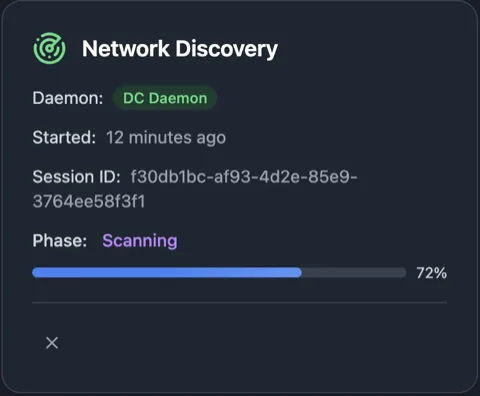
Deploy a scanner
Install a lightweight daemon on any network. It auto-discovers hosts, services, and subnets.
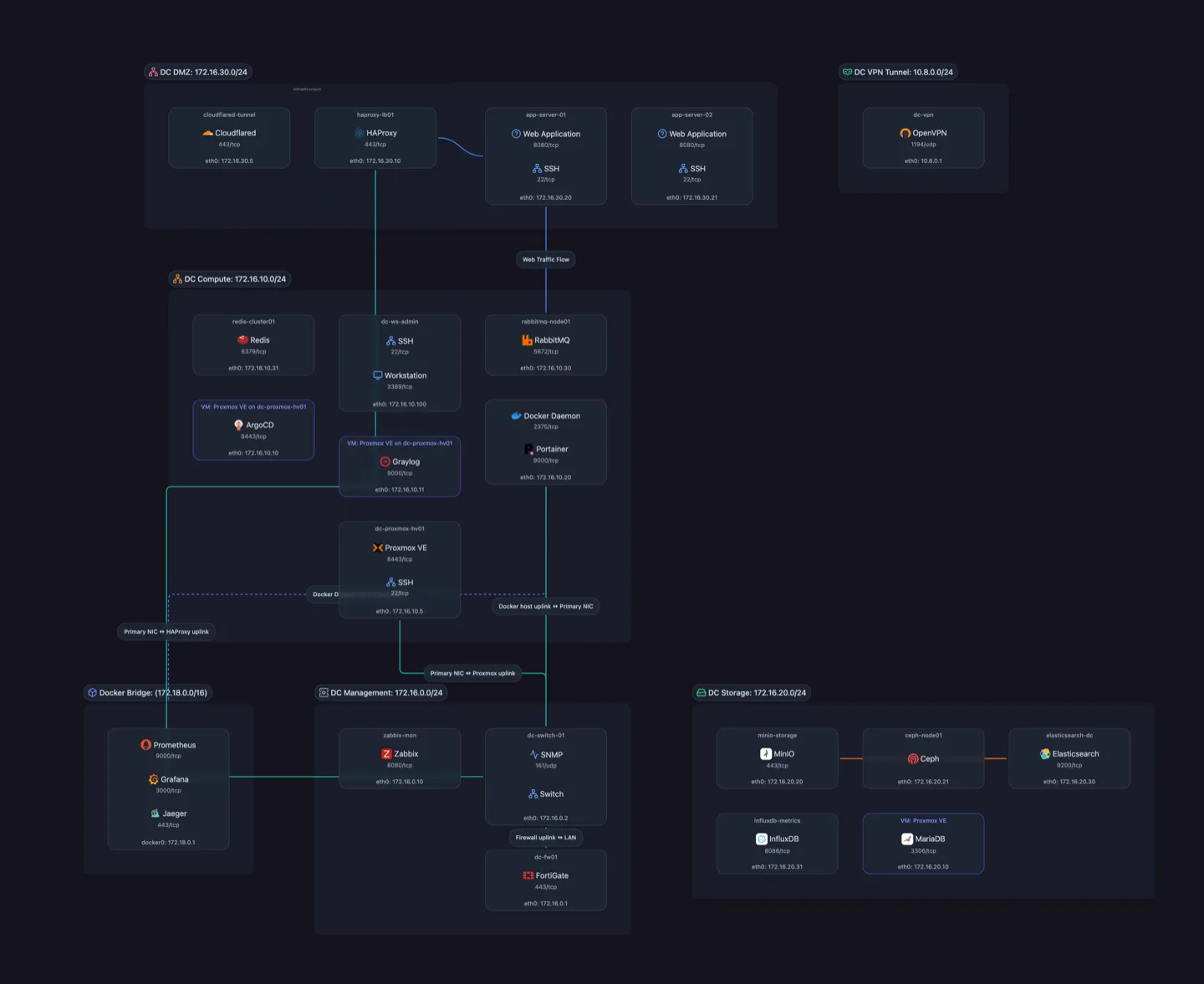
Topology builds itself
As the scan runs, a full network topology generates automatically — no manual drawing.
Stays up to date on a schedule
Topology regenerates automatically. No manual re-scans, no stale docs.
Everything you need to master your network
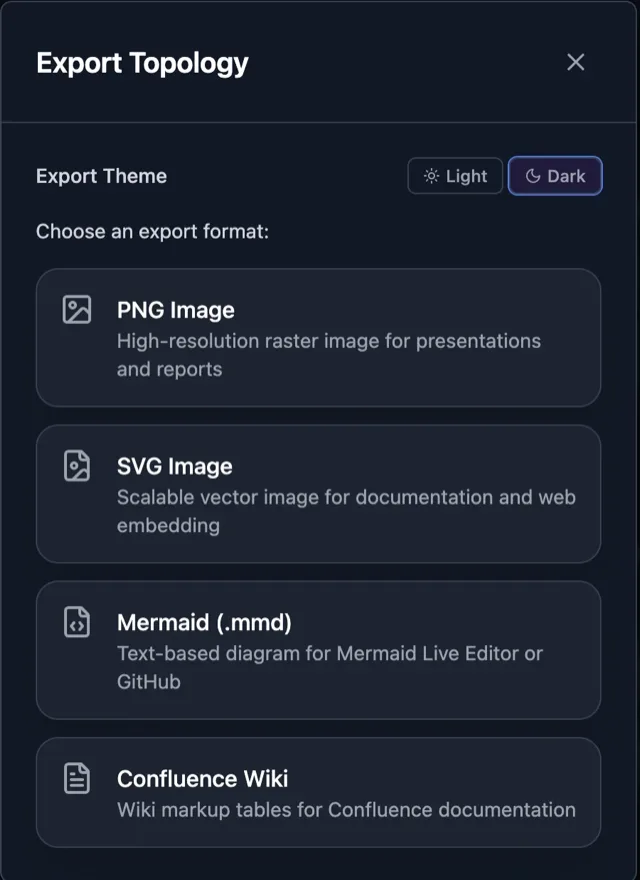
Share, export, embed
Send live view links, export diagrams, or embed maps anywhere.
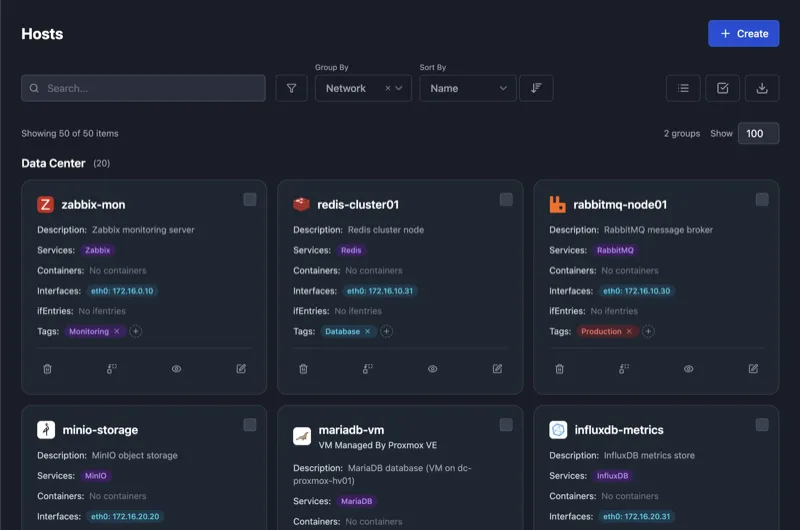
See every service at a glance
The topology shows 200+ detected services — Docker, PostgreSQL, nginx, and more — right in the visualization.
Version history
Create branches, lock versions, and compare network state over time.
Less Visio Visio wrangling, more clarity
Onboard faster
New hires and new clients see the whole picture on day one — no digging through outdated wikis.
Impress your customers
Transform documentation into a live client portal with zero manual updates.
Streamline audits
Hand auditors a live network map instead of outdated spreadsheets.
Built for your team


Feedback from r/selfhosted and r/homelab
"It really helped me catch a couple things that were suboptimal, and be like 'why is that there', and tidy a couple things up."
u/reinhart_menken
"This is sick. I just tried it out on my network and discovery's doing its thing."
u/discoshanktank
"You're literally doing the thing I've dreamed of for ages."
u/blitz9826
"So many features, wasn't expecting a lot more than a simple scanner and a UI."
u/Medium_Chemist_4032
Flat-rate pricing. No per-device fees. Scale without surprises.
Explore your network: discover and document up to 25 hosts
- Discovery
- SNMP Discovery
- Network Discovery
- No Port Forwarding
- 200+ Service Definitions
- Docker Discovery
- Visualization
- PNG Export
- Topology Visualization
- Integrations
- CSV Export
- Support
- Community Support
Living network documentation that updates itself
Everything in Free, plus:
- Discovery
- Scheduled Discovery
- Visualization
- Remove Watermark
- Shareable Diagrams
- SVG Export
- Support
- Email Support
For professionals managing multiple networks
Everything in Starter, plus:
- Visualization
- Mermaid Export
- Embeddable Diagrams
- Integrations
- API Access
For MSPs and multi-site IT teams who need advanced features
Everything in Pro, plus:
- Visualization
- Confluence Export
- Support
- Onboarding Call
- Priority Support
- Integrations
- Webhooks Coming Soon
- Enterprise
- Audit Logs Coming Soon
Fully managed Scanopy deployment with dedicated support
Everything in Business, plus:
- Support
- Live Chat Support
- Enterprise
- White Labeling
- Custom SSO
- Managed Deployment
Your network diagram is minutes away
Scanopy deploys as a lightweight daemon that runs alongside your existing infrastructure. It discovers every host, maps the connections between them, and renders a live topology diagram — all without agents on your endpoints or changes to your network configuration. Once running, scans repeat on a schedule so your documentation stays accurate as devices come and go.